Monitoring the Windows EventLog


Monitoring the Windows EventLog |
|
|
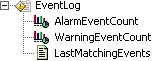
The Microsoft Search KM monitors errors posted by the search engine in the Windows Event Log. For each new error or warning event posted by the search engine in the Windows Event Log, the corresponding parameter is increased by one and triggers an alert. To view the last 10 triggered warnings or alarms events, simply double-click the LastMatchingEvents parameter in the PATROL Console.
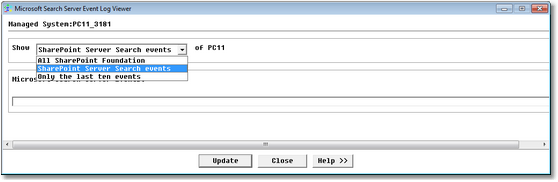
Accessing the Last 10 Triggered Alerts •Alarm Event Count: Number of critical events that were posted by the search engine since the last acknowledge •Warning Event Count: Number of warning events that were posted by the search engine since the last acknowledge •Last Matching Events: To view a list of the last 10 triggered alarm/warning events To visualize and analyze more thoroughly the messages posted by the search engine in the Windows Event Log, you can use the built-in Event Log Viewer. With this tool, you can obtain information about your all significant events to help you identify and diagnose the source of current problems, or help you predict potential problems. 1.To display the SharePoint-related content of the Event Log, right- click the Event Log icon in the PATROL console> KM Commands > View Events:
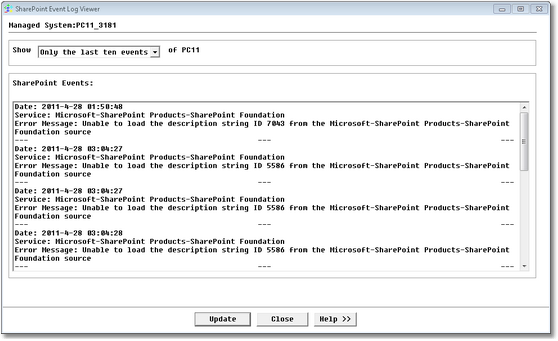
SharePoint Event Log Viewer — Parameters Selection 2.You can either choose to display Only the ten last events or All SharePoint events. 3.Click Update to generate the list of events SharePoint Event Log Viewer — List of Events |