|
On rare occasions file systems may run out of free inodes. While rare, this can have catastrophic consequences for the file system's applications and users. To prevent this situation, you can monitor the Used Inodes Percentage parameter of the Volume class.
| 1. | In Portal, expand the Volumes instances. These instances are available under: |
| • | Aggregate > Volume (C-Mode) |
| • | Cluster > Vserver > Volume (C-Mode) |
The current percentage of used inodes for each instance is automatically displayed.
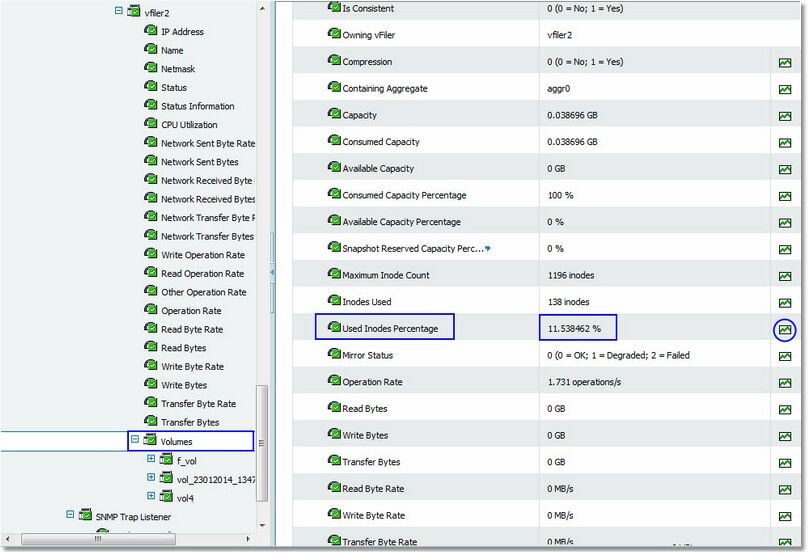
Used Inodes Percentage
| 2. | Click the History icon of the Volume instances to display history charts that shows the data values, for these instances, collected for a selected parameter during the previous six hours. You can customize the chart and table to show parameter history for different time periods. |
|


