Monitoring Windows Event Log


|
Monitoring Windows Event Log |
|
|
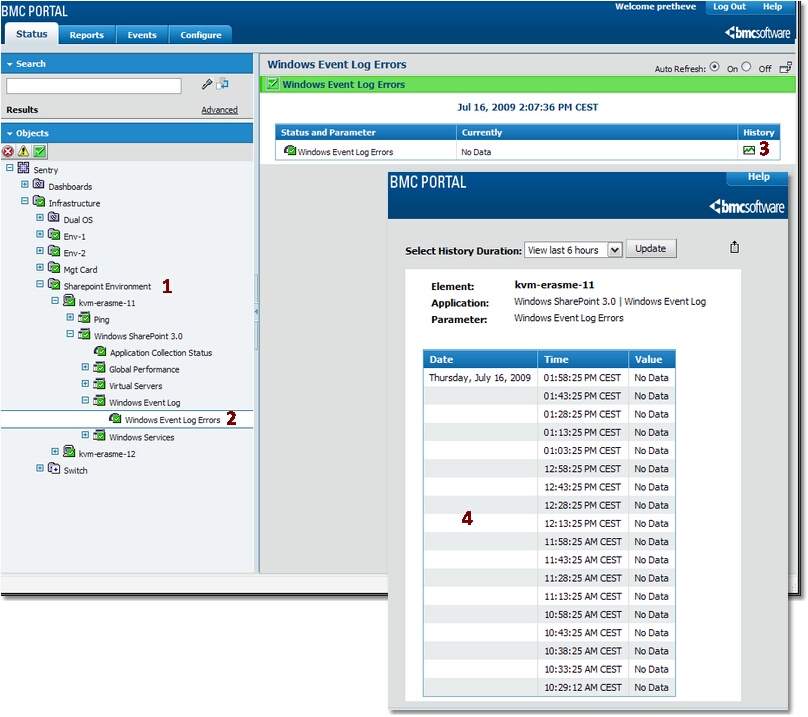
BMC Performance Manager Express for SharePoint monitors the Windows Event Log for events related to Windows SharePoint Services. An alert is triggered when a problem is detected in the Windows Event Log. To display a list of all Windows Event Log Errors:
|