Setting Thresholds


|
Setting Thresholds |
|
|
Whenever relevant, BMC Performance Manager Express for HP EVA automatically sets thresholds for parameters. If you prefer a more fault-tolerant monitoring, you can modify the thresholds of each parameter through the Configure tab > Edit Thresholds.
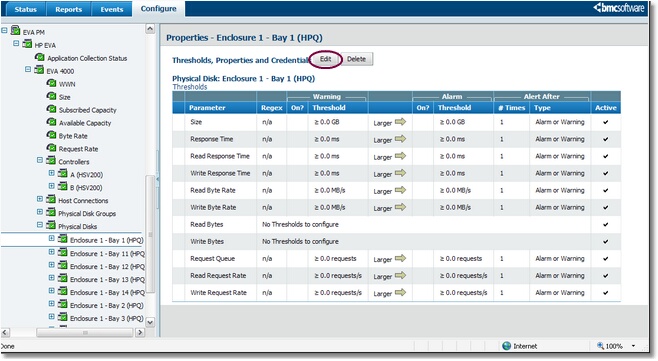
or To modify the thresholds of a particular instance, click on the instance icon > Thresholds, Properties and Credentials .
Thresholds, Properties and Credentials Click Edit to modify the thresholds.
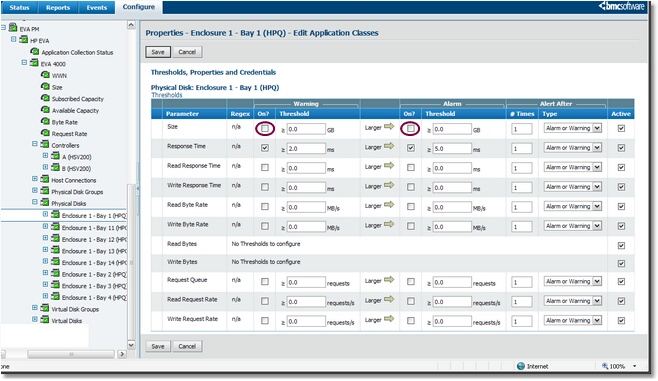
Disabling the default alert thresholds on Status Disable the alerts on the Size parameter by un-checking the boxes
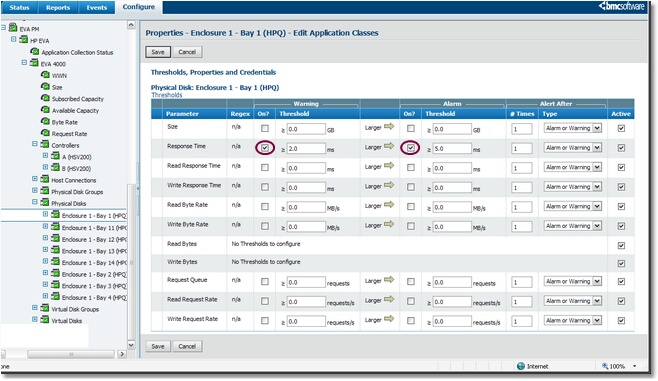
Modifying threshold values Manually modify the thresholds on the parameter and activate the alerts
Alerts are displayed by the parameter whose thresholds are modified. |