Installing BMC Performance Manager for Microsoft Search

Home  Previous  Next

Uploading BMC Performance Manager Express for Microsoft to BMC Portal

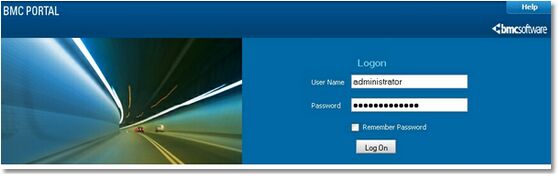
1.Place the SentrySoftware-SearchServer-solution-1.0.00.par file in a known location on your file system. Login to the Portal with super-administrator credentials.

INSTALL_Logon

Logon to BMC Portal

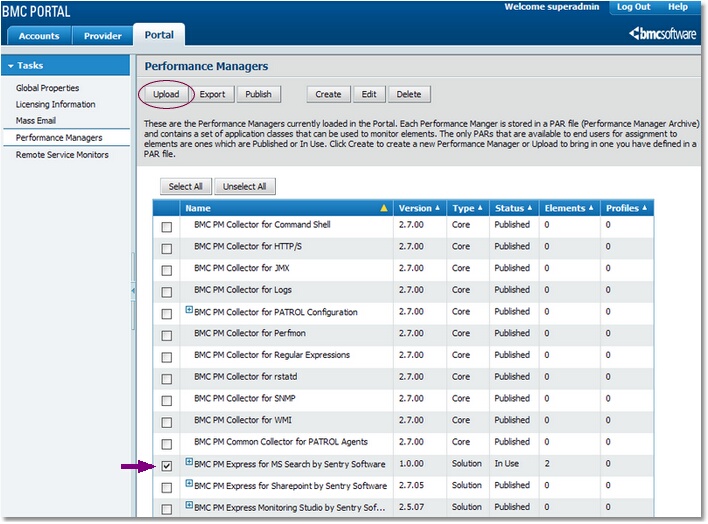
2.Click on Portal, then under Tasks click Performance Managers.

INSTALL_Upload_PM

Selecting the Performance Manager

3.Click Upload and then click Browse to open a file selection dialogue box.
4.Select SentrySoftware-SearchServer-solution-1.0.00.par and click Upload.
5.The Portal uploads the PAR file to the database, and the performance manager now appears as BMC PM Express for Microsoft Search by Sentry Software in the list of Performance Managers.
6.The word Published next to BMC Performance Manager Express for Microsoft Search in the Performance Manager list indicates that the product is successfully installed.

On expanding the tree sign next to BMC Performance Manager Express for Microsoft Search, you should see the following nine application classes:

Search Server - Indexing Service
Search Server - Gatherer
Search Server - Gatherer Projects
Search Server - Search Indexer Catalog
Search Server - SSP Sites
Search Server - SSP Portal
Search Server - Processes
Search Server - Windows Event Log Errors
Search Server - Search Query

You are now ready to begin using BMC Performance Manager Express for Microsoft Search version 1.0.00.