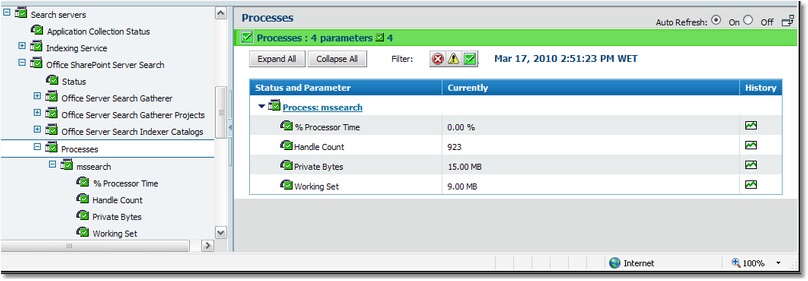
Monitoring Processes


|
Monitoring Processes |
|
|
Monitoring processes on a regular basis helps you ensure that a computer runs at peak efficiency and that it carries out its appointed tasks as expected. For example, by monitoring processes you can be notified immediately of any application that has stopped responding, and then take steps to end that process. In addition, process monitoring enables you to identify problems before they occur. For example, by repeatedly checking the amount of memory used by a process, you can identify a memory leak. You can then stop the process before the errant application uses all of the available memory and brings the computer to a halt. BMC Performance Manager Express for Microsoft Search automatically monitors all of the processes related to the targeted search engine To display the elements of a process instance:
Alert Thresholds: Depending on the type of environment, and whenever possible, alert thresholds are automatically set by BMC Performance Manager Express for Microsoft Search. When the parameter value breaches these thresholds, the parameter's icon changes to notify the alert. To learn more about thresholds management, please refer to Modifying Parameter Thresholds section. |