Creating an Adapter for a BMC Portal Solution
| 1. | Open the BMC ProactiveNet Administration Console. The BMC ProactiveNet Administration Console is displayed as shown in the following figure: |
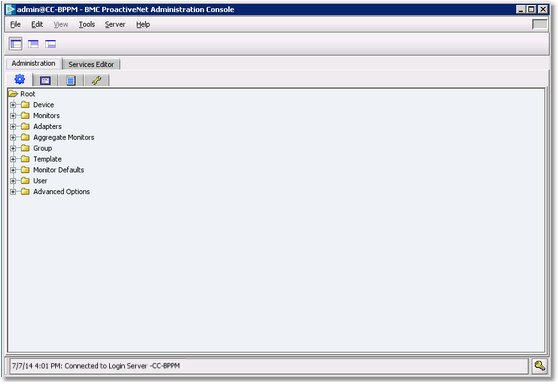
Accessing the Administration tab in the Administration Console
| 2. | Right-click the Adapters folder and select Import Monitor Types and Add Adapter > BMC Portal. |
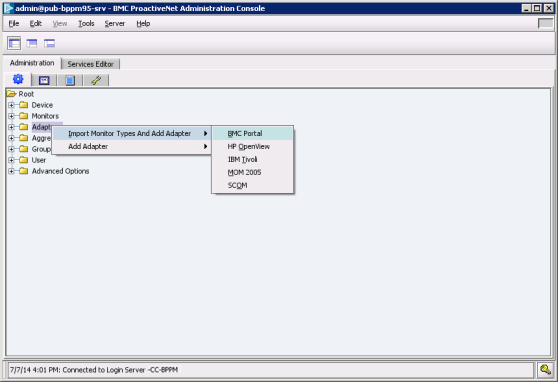
Importing Monitor Types and Adding Adapter
| 3. | In the Configuration tab, enter the required information: |
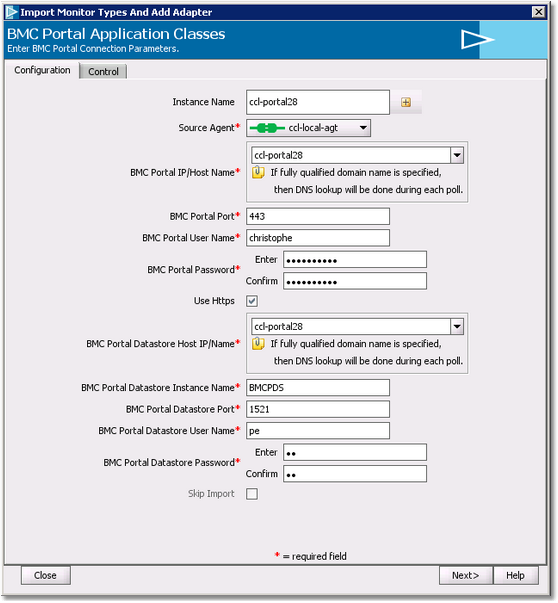
Setting the connection parameters
| • | In the Instance Name field, enter a name for this instance of the Adapter that will perform the integration of the ‘targeted PM’ into BMC ProactiveNet. |
| • | Select the Agent where this instance of the Adapter will be executed |
| • | Enter the required information to connect to BMC Portal: BMC Portal Host Name or IP address, Port, BMC Portal User Name and Password |
 To successfully integrate the PM with BMC Proactivenet, the BMC Portal User Account specified must have at least been used once to log in to BMC Portal and have the NetApp Filers Application Class added to an existing element. To successfully integrate the PM with BMC Proactivenet, the BMC Portal User Account specified must have at least been used once to log in to BMC Portal and have the NetApp Filers Application Class added to an existing element.
| • | Enter the required information to connect to BMC Portal Datastore: BMC Portal Datastore Host Name or IP address, Port, and credentials |
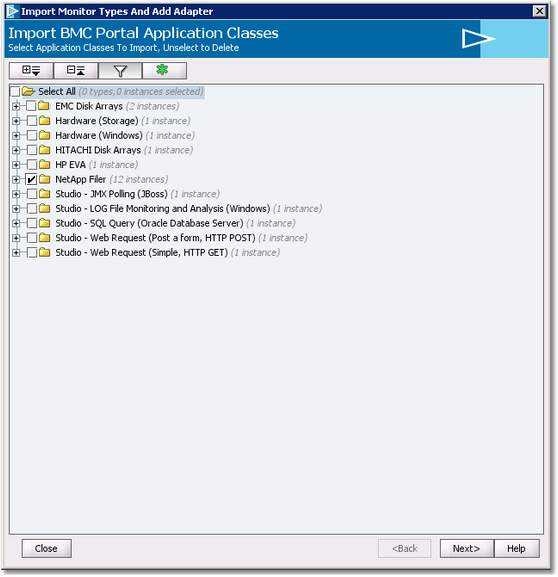
Selecting the Application Classes to import
| 5. | Select the application class to import and click Next |
| 6. | Set the Filter details if needed. |
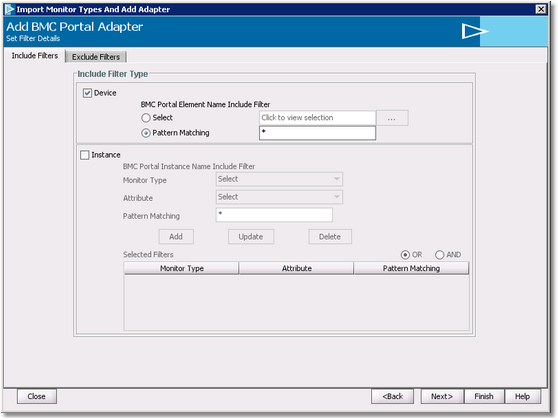
Setting filter details
| 7. | Click Next to Continue. |
| 8. | Set the Auto-sync poll scheduling, if needed. |
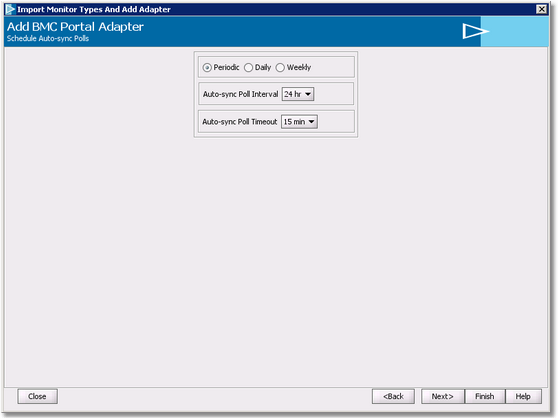
Scheduling Auto-sync polls
| 9. | Click Next to continue. The system displays a summary of your settings, click Finish to confirm. The Adapter has been added to the Adapters folder of the Administration Console. |
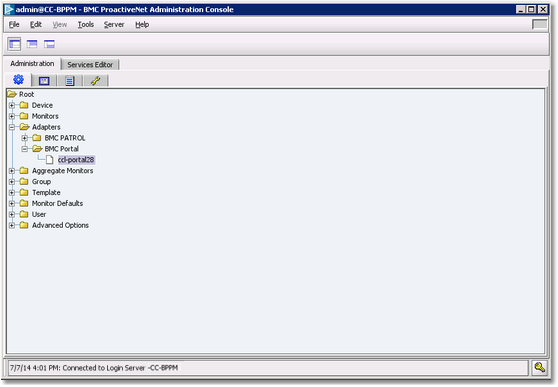
| Adapter added to the Adapters folder |
| 10. | To see the class instances that have been imported by the Adapter, expand the Adapters folder, right-click the Adapter and select Details. |
 We strongly recommend that you create a specific adapter for each PM you need to integrate into BMC ProactiveNet to enable the update of a single PM independently. We strongly recommend that you create a specific adapter for each PM you need to integrate into BMC ProactiveNet to enable the update of a single PM independently.
Once created and imported, the Adapter will be displayed in the Devices folder of the BMC ProactiveNet Operations Console.
|


