As servers get decommissioned without the filers administrator knowing it, LUNs stay idle and unused, and the space allocated for this LUN could be reclaimed for new servers. To keep track of the mapping of LUNs in a filer, create a report with the Mapped parameter.
| 1. | In the Reports tab, select the group containing the NetApp Filers to display the report settings panel |
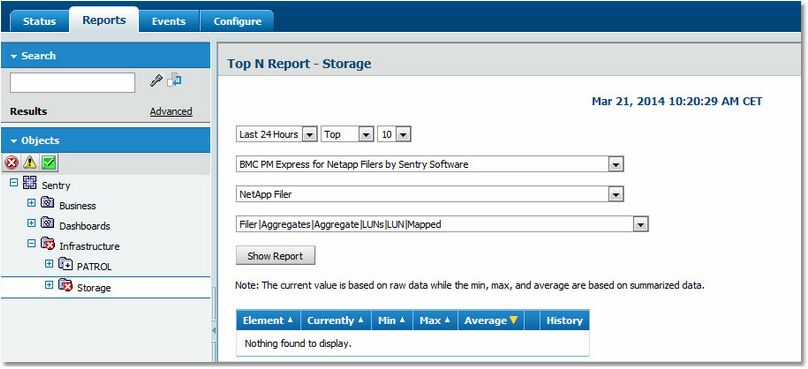
Report Settings Panel
| 2. | Select the time range for which you need to produce the report |
| 3. | Select the Performance Manager that monitors the aggregates space utilization: BMC PM Express for NetApp Filers by Sentry Software |
| 4. | Select the storage device: NetApp Filer |
| 5. | Select the appropriate parameter: Filer|Aggregates|Aggregate|LUNS|LUN|Mapped |
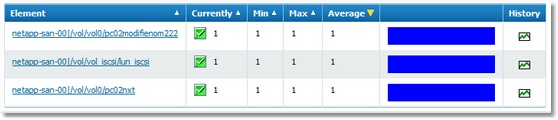
LUNs Mapping Report
|


