Monitoring Virtual Servers


|
Monitoring Virtual Servers |
|
|
For each Virtual Server, BMC Performance Manager Express for SharePoint provides performance information on databases, sites and sub-sites.
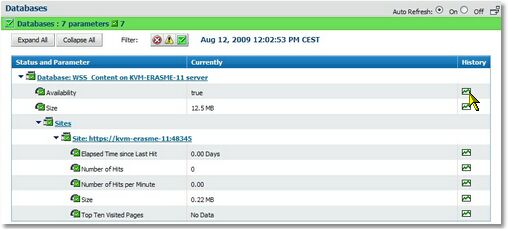
Database Parameters Most of the configuration and content of a SharePoint site is stored in a Microsoft SQL Server database. BMC Performance Manager Express for SharePoint triggers an alarm when such a database is no longer accessible or when SharePoint's content breeches the database capacity. To access the database parameters, expand the SharePoint Server and Database in the Status tab of the console. Click the History icon to display a table or a graph of the parameter's data.
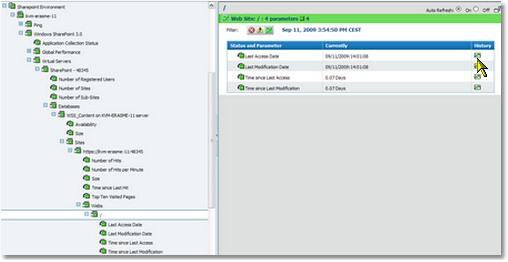
Sites and Webs (Sub-sites) Tracking usage information can be useful for identifying which content on your site is being heavily used (and therefore should be kept) and which content is not being heavily used (and may be a candidate for archiving). BMC Performance Manager Express for SharePoint provides basic usage statistics for each sites and Webs (sub-sites) of your SharePoint environment. To access the sites or sub-sites (webs) parameters, expand the SharePoint Server, click the Database icon, and then the Sites and Webs icons in the Status tab of the console. Click the History icon to display a table or a graph of the parameter's data.
|