|
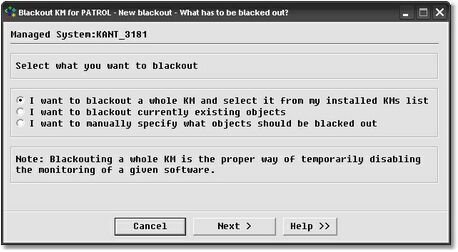
There are three different ways to select the PATROL objects to blackout:
| • | by picking the PATROL objects from a list of currently existing instances |
| • | by entering the KM or instance name. |
Each method is described in the following sections.
 | When the blackout starts, if the selected PATROL objects, KM or KMLs do not exist anymore, no error message will be displayed and no alert triggered. This way, you can easily deploy a set of items to blackout to all your PATROL Agents without worrying about getting false alerts. |
See also:
Selecting a whole KM
Selecting a list of currently existing objects
Manually entering the list of instances or KMs to blackout
|


