Edit Alert Actions


Edit Alert Actions |
|
|
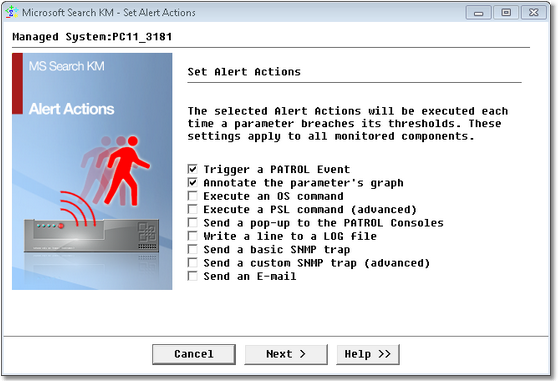
To modify the Alert Actions executed by Microsoft Search KM for PATROL upon a failure, right-click on the main Microsoft Search KM instance > KM Commands > KM Settings > Edit Alert Actions… Select the Alert Actions to be executedCheck the boxes corresponding to the actions you would like executed upon a failure. By default, Microsoft Search KM for PATROL triggers a PATROL event and annotates the parameter that raises the alert, but there are all the actions that can be triggered:
Editing Alert Actions — Selecting Parameters After selecting and defining Alert Actions, you need to validate your changes by clicking the Finish button.
Editing Alert Actions — Validation
See Also |