Remove Device Monitoring


Remove Device Monitoring |
|
|
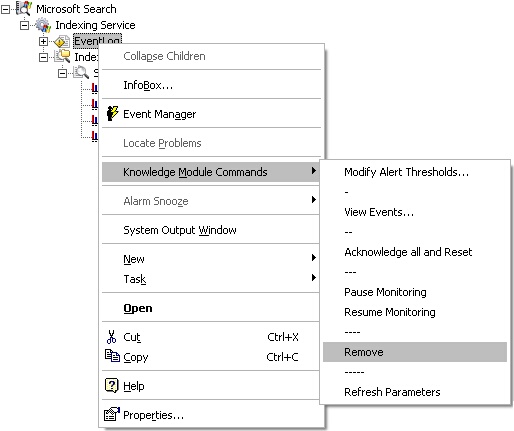
If you wish to simply stop the monitoring of a Microsoft Search component (or a redundant component in the PATROL Console), there is a simple way to do so: right-click the component/device icon > KM Commands > Remove.
Terminating the monitoring of a device The component is now removed from monitoring, which means the related collection will no longer be performed, and the icon representing the device will disappear from the PATROL Console. |