|
If you encounter an issue, and want to report it to Sentry Software, you will be asked to enable the Debug Mode and provide the debug output to the Sentry Software support team.
To enable the debug mode:
| 1. | Right-click the main Monitoring Studio icon KM commands> Options > Debug... |
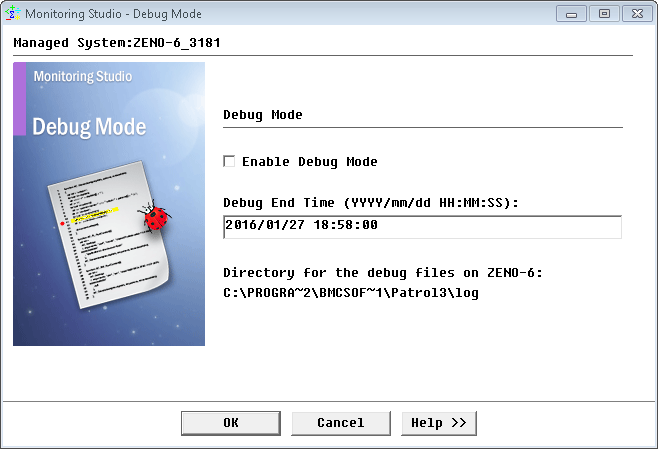
Enabling Debug Mode
| 2. | Check the Enable debug box. |
| 3. | By default, the debug output is displayed in the System Output Window. If you want the debug information to be saved in a file on the computer where the PATROL Agent is running, specify the debug output file path. It is recommended to specify a debug output file path if you want to: |
| • | have debug information about the discovery process since debug information about the discovery process may be lost by the PATROL console during the PATROL Agent startup. |
| • | trace the activity of Monitoring for a few minutes since information may also be lost by the PATROL Console if its buffer is full. |
| 4. | Specify the maximum file size. Please note that the debug output file size may quickly become very large if you selected the "Unlimited" option. It is therefore recommended to turn the debug mode off once the required information has been collected. |
|


