Checking Available Spare Disks


Checking Available Spare Disks |
|
|
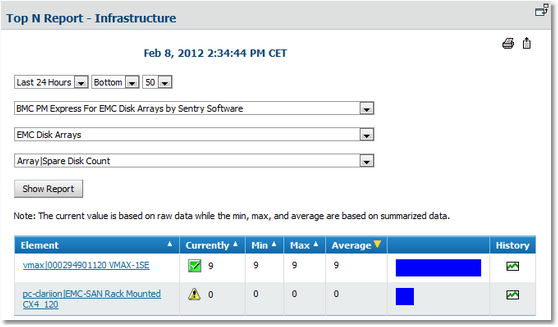
To avoid any loss of critical data, it is essential for a disk array to always maintain a pool of spare disks that can replace the faulty disk when a disk failure occurs. A disk array without any left spare disk will not be able to keep the level of data safety and performance in case of a disk failure. The Spare Disk Count parameter of the Array class reports the number of spare disks available for each disk array monitored with the solution. By default, a warning is triggered when no spare disk is available (Spare Disk Count is set to zero). Verifying the Number of Available Spare Disks in Your EMC Disk Arrays
1.Select an element group in the tree view (the main Infrastructure group, for example) 2.Click the Reports tab. Create a report for the last 24 hours, bottom 50 values of the Array|Spare Disk Count parameter of the EMC Disk Arrays application class for the BMC Performance Manager Express for EMC Disk Arrays by Sentry Software solution.
Report – Available Spare Disks
See also |