Selecting a Whole KM


|
Selecting a Whole KM |
|
|
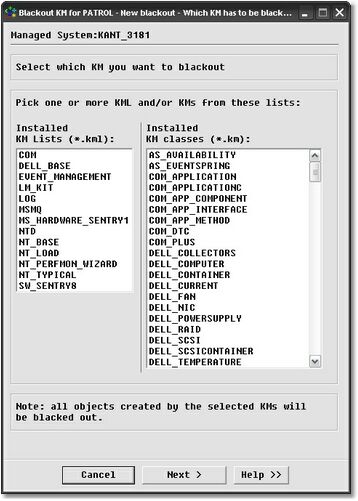
This is the recommended method to blackout a whole KM. Blackout KM for PATROL automatically builds a list of installed KM and KML (Knowledge Module List) files installed on the server. The lists are then displayed in the panel, as shown in the screenshot. It is possible to either select a list of KML files, a list of KM files or a list of both file types. When performing the blackout, Blackout KM for PATROL will blackout all instances of the selected class. So, if you simply want to blackout one particular instance of a KM, you should use the second method called "existing objects" to pick the specific PATROL object. If a KML file is selected, Blackout KM for PATROL will blackout all PATROL instances of all KMs forming the KML. Pick the KMs and KMLs you want to blackout from the list and click Next to continue with the wizard.
|