Selecting a List of Existing Objects


|
Selecting a List of Existing Objects |
|
|
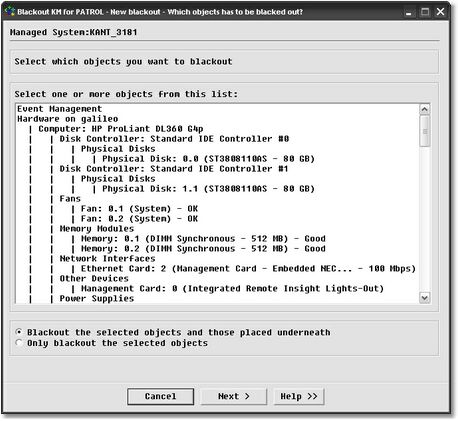
This is the easiest way to select PATROL objects to blackout from a list of existing objects in the PATROL Console. Blackout KM for PATROL reads the PATROL Agent’s configuration and builds a list of currently existing PATROL instances. The list is displayed in a tree-like list, outlining the way the objects are displayed in the PATROL Console. To select the instances to blackout, simply find the item in the list and click on it. It is possible to select several items at the same time. If you wish to select an item as well as the item’s sub-items (the items placed underneath it), select the object from the list and click "Blackout the selected objects and those placed underneath." Select the PATROL instances to blackout and click Next to continue.
See also: |