-
Home
- Standalone with Monitoring Studio
Install Hardware Sentry KM
This section details the procedure to install and deploy Hardware Sentry KM on your PATROL Agent. It also explains how to upgrade from a previous version and provides a step-by-step procedure to uninstall the KM.
Create a Deployable Package
The installation package to deploy on managed systems can be created directly from BMC Helix Operations Management:
-
Log on to your BMC Helix Operations Management console.
-
From the top menu, select Administration > Repository.
-
Click the Deployable Packages tab.
-
Click the Create button.
-
Select the operating system and platform for which you want to create a package. The components available in the repository for the selected operating system and platform are displayed.
-
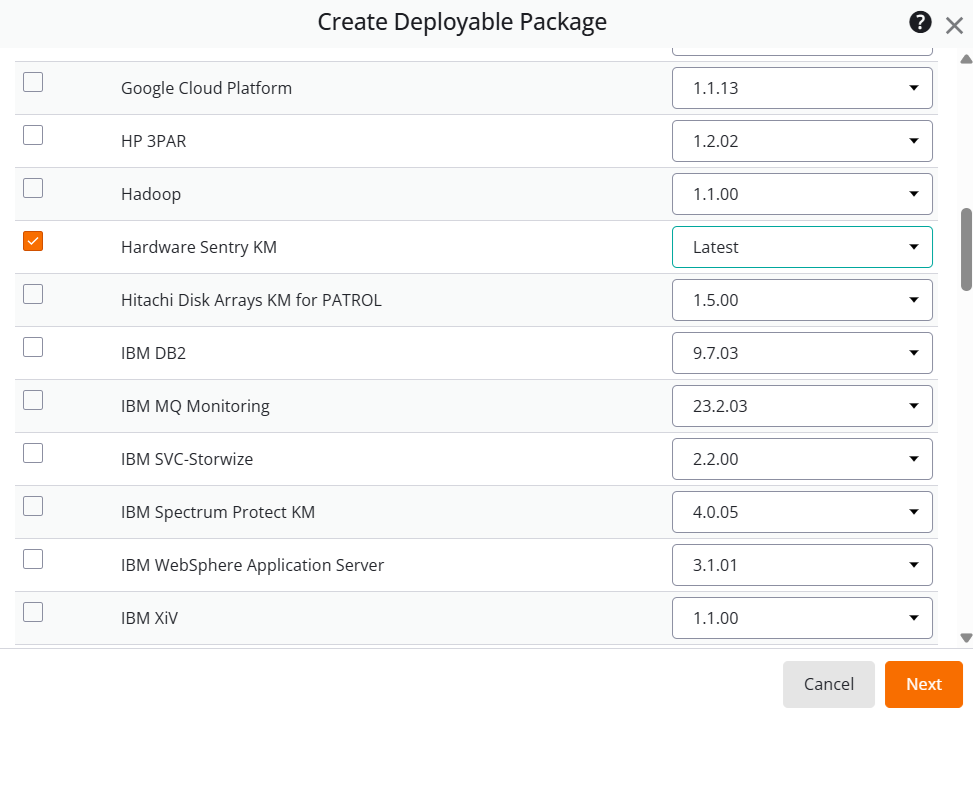
Select the solutions to be included in the package:
- AdoptOpenJDK JRE for Sentry version 17 or higher
- Hardware Sentry version 20.0.00 or higher and click Next.
-
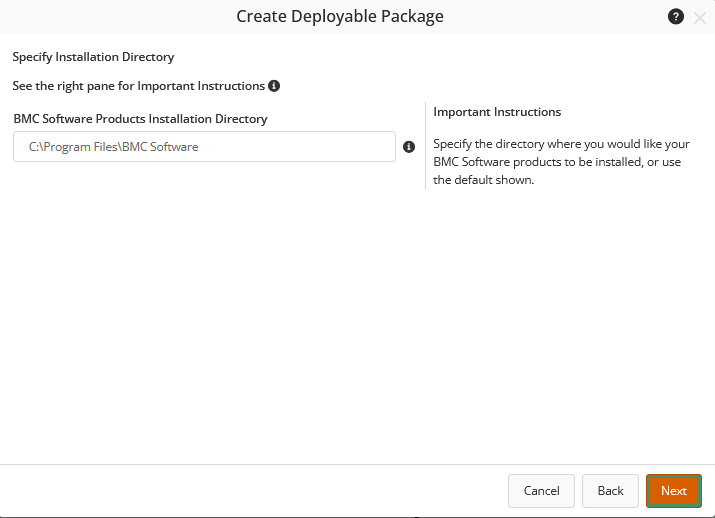
Specify the installation directory and click Next.
-
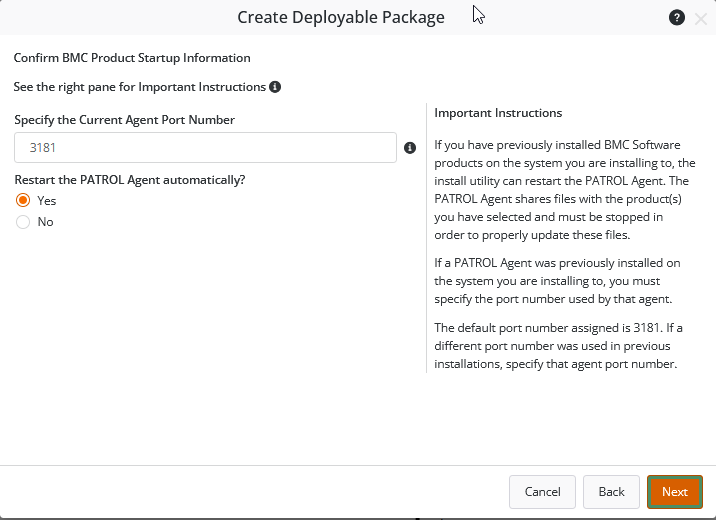
Confirm the BMC Product Startup Information and specify the Agent Port Number.
-
Provide the following information:
- Name: Enter a unique name for the package.
- (Optional) Description: Enter a description of the package.
- Format: Select a file compression format for the package.
-
Click Save and Download.
-
Click Close. The package is now listed in the Deployable Packages tab.


Deploy and Install the Package
Install the Monitoring Solution using the Silent Installer
Once you have created and downloaded the deployable packages for Hardware Sentry KM, a compressed folder is automatically created, ready to be deployed.
- Uncompress the Hardware Sentry KM compressed folder to the server on which you want to deploy the monitoring solution.
- Double-click the BMC Product folder and launch the RunSilentInstall.exe, or RunSilentInstall.sh, depending on the operating system selected for the deployable package.
- Provide the PATROL account credentials when prompted.
Install the Monitoring Solution using the action menu
-
From your BMC Helix Operations Management console, click the Configuration menu and then click on Agents.
-
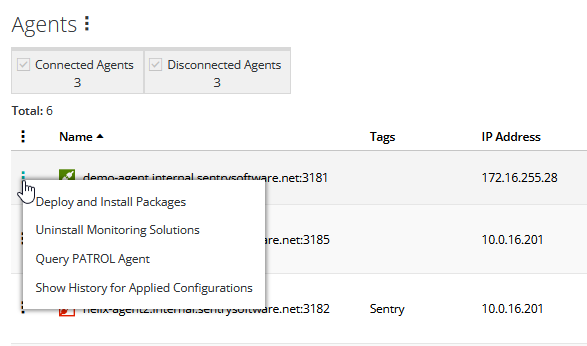
Click the action menu

-
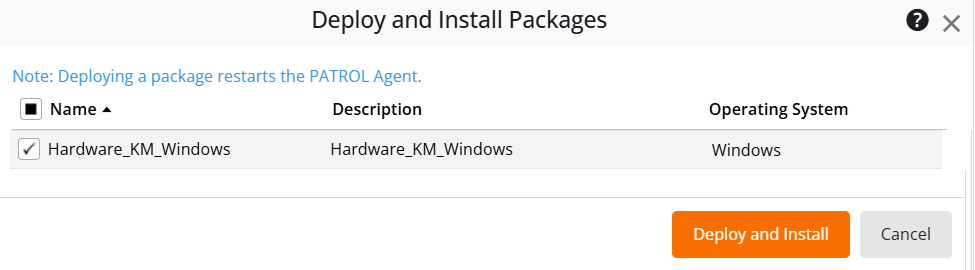
In the Deploy and Install Packages list, select the package you want to deploy and install.


Uninstalling Hardware Sentry KM
To uninstall Hardware Sentry KM:
-
Log on to the BMC Helix Operations Management.
-
From the top menu, select Configuration > Agents.
-
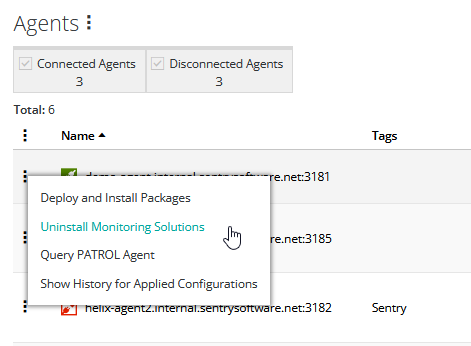
From the PATROL Agent action menu, click Uninstall Monitoring Solutions.
-
Select the Hardware Sentry KM package you want to uninstall.
-
Click Uninstall. The PATROL Agent restarts. You can view the uninstall status in the Deploy Status column.
