|
Monitoring Studio enables you to generate an instant report on the configuration of all monitored objects:
To generate an instant configuration report:
| 1. | Right-click the Monitoring Studio icon > KM Commands > Configuration > Report > Now... |
| 2. | Configure the report settings: |
| ▪ | Select the report output format (CSV, Plain English, or XML) |
| ▪ | Indicate where the report will be saved |
| ▪ | Indicate the filename template to be used |
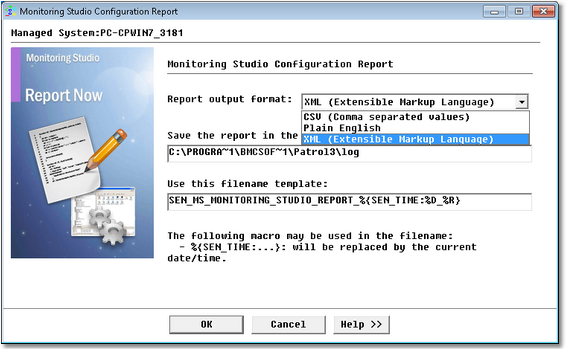
Setting the Configuration Report Parameters
| 3. | Click OK. The report is generated in the selected format and saved in the defined location. |
See Also
Schedule configuration reports
| 

