|
A polling interval defines how often new data is collected. A new collect can be performed from once every second, to once in a day. Polling intervals can be set for objects created by Monitoring Studio that collect data (files, processes, OS commands, SNMP polling etc.). By default, the polling interval is set to 2 minutes on all objects, which can be modified at any time.
To set the polling interval:
| 1. | In the PATROL Console, right-click the Monitored Application icon or the object icon > KM commands > Set Polling Interval. |
 The option to set polling intervals is not available for string searches, numeric values, text pre-processing, application/containers and SNMP trap instances, since either they do not have collectors, or as in the case of SNMP traps – have collectors that react to events. The option to set polling intervals is not available for string searches, numeric values, text pre-processing, application/containers and SNMP trap instances, since either they do not have collectors, or as in the case of SNMP traps – have collectors that react to events.
| 2. | Configure the polling interval options: |
| ▪ | Collect every: x hours; x minutes; x seconds: Set the polling interval in hours/minutes/seconds. |
| ▪ | Collect once a day at: x hour (24 hours); x minutes; x seconds: Here the values selected indicate the time of day. Example: 14; 30; 0 would mean that the polling is done only once a day at 2:30pm (14:30 hrs) |
| ▪ | Collect once a week on <weekday> at: X hour; X minutes; X seconds: Here the values selected indicate the time of the selected weekday. Example: 14; 30; 0 would mean that the polling is done only once a week on <selected weekday> at 2:30pm (14:30 hrs) |
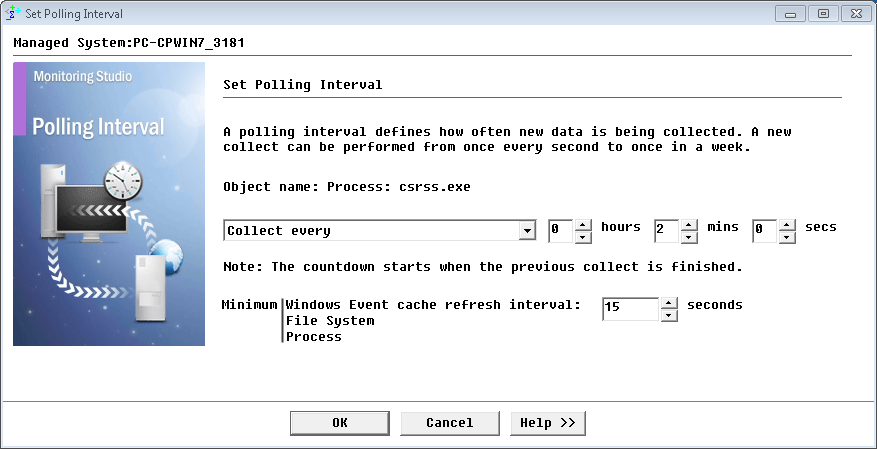
Setting an Application Polling Intervals
|


