Configuring Alert Actions


Configuring Alert Actions |
|
|
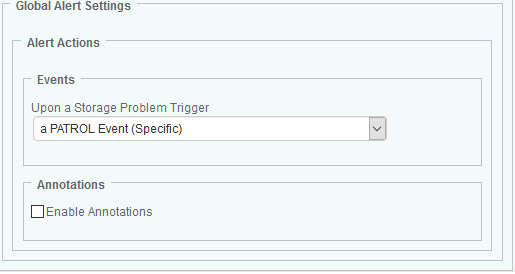
Alert Actions enable you to choose specific actions to be executed when a storage problem is detected. Using alert actions, you can customize the way a storage problem notification is performed. Dell Compellent Storage Monitoring can be configured to run one, several, or all types of alert actions when an alert is triggered regarding the monitored storage system. To set the alert actions you want the solution to perform when a problem occurs1.Create a new policy or edit an existing policy. 2.Click Add Monitoring Configuration and scroll down to the Global Alert Settings section.
Configuring Alert Actions 3.In the Events section, select the type of event you want the solution to trigger Upon a Storage Problem: ▪A Specific PATROL Event (Specific storage problem related to a monitored component) ▪A STD 41 PATROL Event (Standard 41 event) ▪No Event
4.Select the Enable Annotations option to make the solution annotate the attribute’s graph with a comprehensive report of the problem. 5.Click OK to save your settings. |