Connecting to Data Collector


Connecting to Data Collector |
|
|
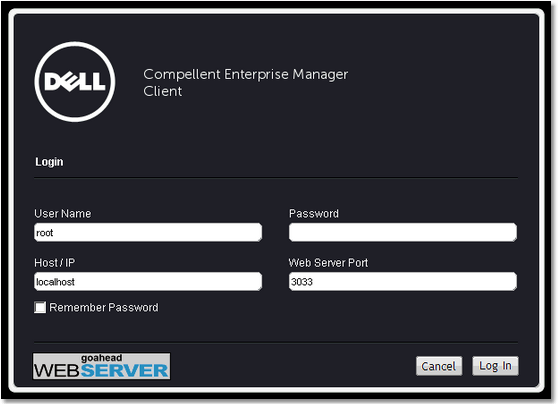
The Enterprise Manager Client can be used to connect to the Data Collector to view and manage multiple Storage Centers: 1.On the desktop, double-click the Enterprise Manager Client shortcut. The Login to Compellent Enterprise Manager Client window appears.
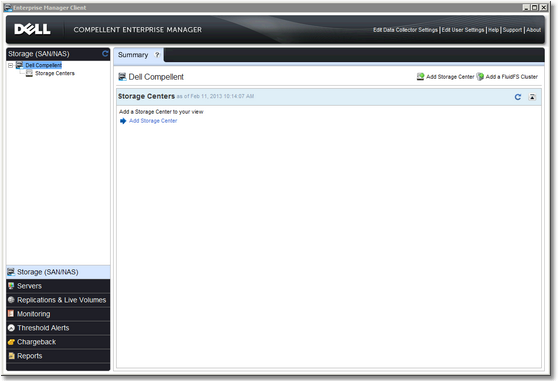
Configuring Enterprise Manager Client - Login Page 2.Complete the following fields: ▪User Name: Enterprise Manager user that was created while installing Data Collector. ▪Password: User's password. ▪Host/IP: host name or IP address of the server that hosts the Data Collector. ▪Web Server Port: If you changed the Web Server Port during installation, enter the updated port. 3.Click Log In. The Client connects to the Data Collector and displays the Storage (SAN/NAS) view.
Configuring Enterprise Manager Client 4.Click Add Storage Center
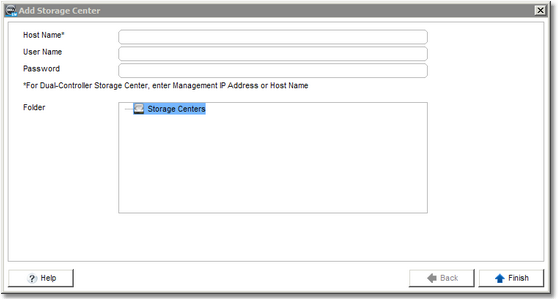
Configuring Enterprise Manager Client - Add Storage Center 5.Complete the following fields: ▪Host Name: Host name or IP address of the Storage Center. ▪User Name: Name of an administrator user on the Storage Center. ▪Password: Password for the Storage Center user. 6.Click Finish. The Storage Center appears in the list of Storage Centers. |