Installing Enterprise Manager Server Agent


Installing Enterprise Manager Server Agent |
|
|
The Enterprise Manager Server Agent is a service for Windows that allows you to see server information, recover unused storage space from Windows NTFS, and monitor and control Dell Compellent NAS and zNAS servers. To install Enterprise Manager Server Agent: 1.Go to Data Collector Website. The default location for the website is: ▪<emdc_hostname_ip> is the host name or IP address of the server that hosts the Data Collector. ▪<emdc_web_server_port> is the Data Collector web service port; the default being 3033.
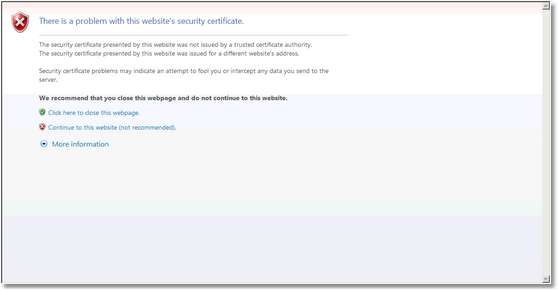
Installing the Server Agent - Security Certificate 2.Click Continue to this website.
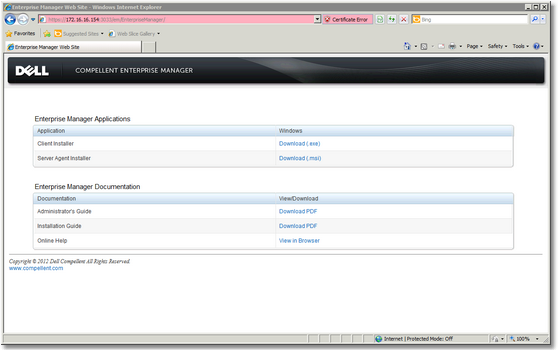
Installing the Server Agent - Download 3.Download the Server Agent Installer. 4.When the download is complete, double-click the downloaded file. A Security Warning dialog box appears.
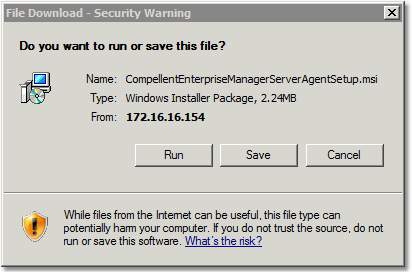
Installing the Server Agent - Security Warning 5.Click Run.
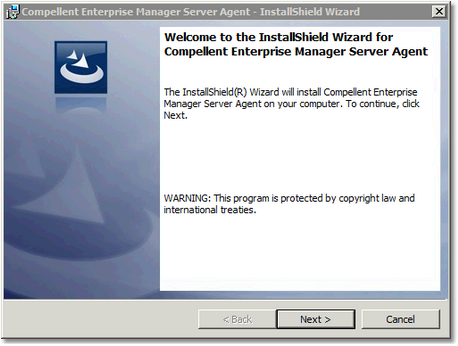
Installing the Server Agent - Welcome 6.Click Next.
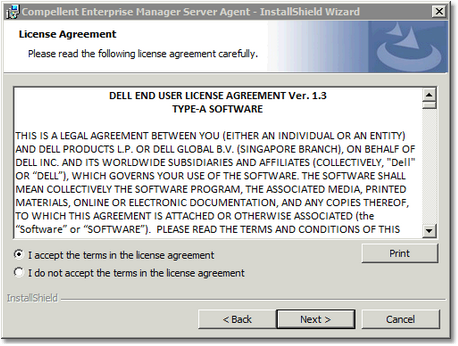
Installing the Server Agent - License Agreement 7.Select I Accept the terms in the license agreement and click Next.
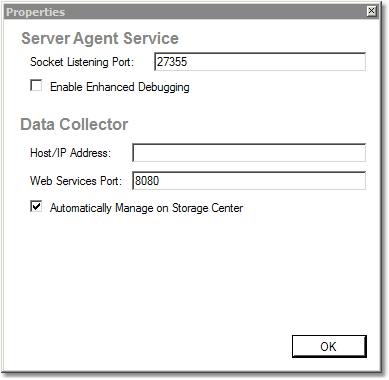
Installing the Server Agent - Properties 8.Register the Server Agent with Enterprise Manager Data Collector: ▪Enter the socket listening port. By default, 27355 ▪Enter the host name or IP address of the Data Collector ▪Enter the web services port. By default, 8080 ▪Check the box Automatically Manage on Storage Center ▪Click OK.
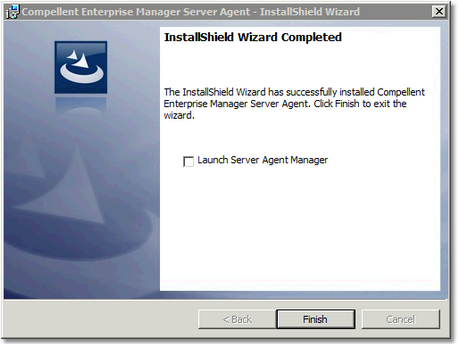
Installing the Server Agent - Installation Complete 9.Once the installation is complete, click Finish. |