Discovering Dell Compellent Remote Arrays


Discovering Dell Compellent Remote Arrays |
|
|
Dell Compellent Storage Monitoring monitors locally Dell Compellent arrays through an in-band method that uses "gatekeeper" devices. However, remote Dell Compellent arrays are monitored through their IP addresses making the discovery and data collect process particularly time and resource consuming. To avoid stressing unnecessarily the resource capabilities, the solution only monitors local Dell Compellent arrays, by default. However, according to your environment and needs, you can manually enable the discovery and data collect for these remote arrays.
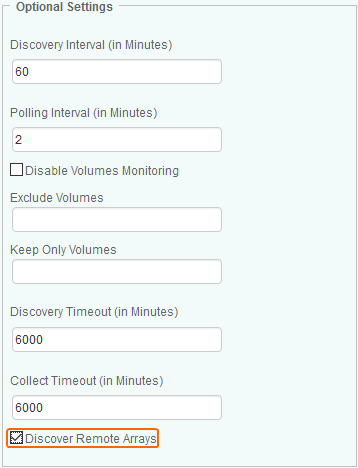
To enable the discovery of remote arrays1.Create a new policy or edit an existing policy. 2.In the Add Monitoring Configuration panel, scroll down to the Optional Settings section.
Enabling the Discovery of Remote Arrays 3.Select the Discover Remote Arrays option. 4.Click OK to save your settings. Dell Compellent remote Arrays present in your environment will be monitored upon the next discovery and collect cycles. |