Enabling the Debug Mode


Enabling the Debug Mode |
|
|
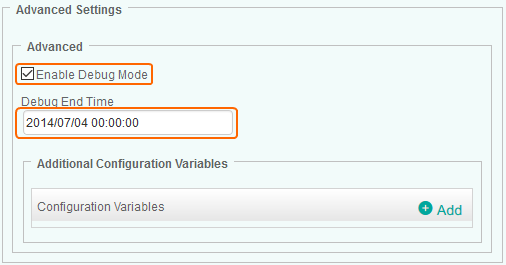
When you encounter an issue and wish to report it to Sentry Software, you will be asked to enable the Debug Mode and provide the debug output to the Sentry Software support team. To enable the debug mode1.Create a new policy or edit an existing policy. 2.Click Add Monitoring Configuration panel and scroll down to the Advanced Settings section.
Enabling the Debug Mode 3.Select the Enable Debug Mode option. The solution will store debug information in a log file. By default debug files are stored in the %PATROL_HOME%\log folder. 4.In the Debug End Time field, enter the date and time at which the system must stop logging debug information. Required format: yyyy/mm/dd hh:mm:ss. 5.Click OK to save your settings.
|