Alert Actions Capabilities


Alert Actions Capabilities |
|
|
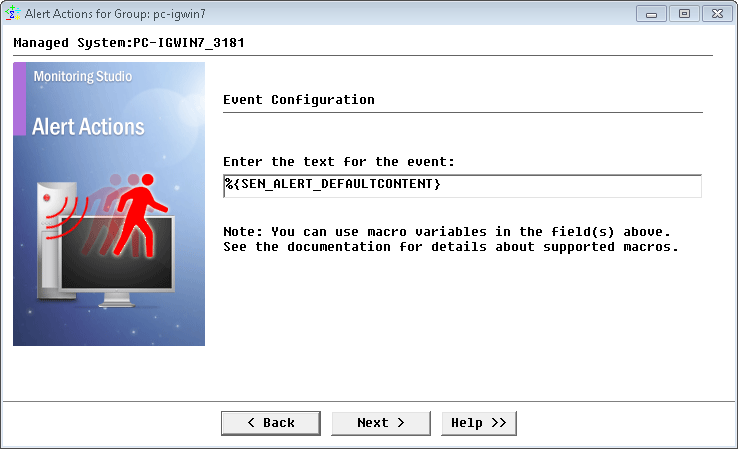
Alert Actions offers a large choice of actions in order to notify the administrator of a problem with the application or to recover from a particular problem. Monitoring Studio can be configured to run one or several types of actions when an alert is triggered by PATROL. The following types of Alert Actions can be performed by Monitoring Studio: Trigger a PATROL eventIf you select the Trigger a PATROL Event action, you need to enter the string that will be displayed with the event
Alert Actions: Trigger a PATROL Event A PATROL Event can be viewed from:
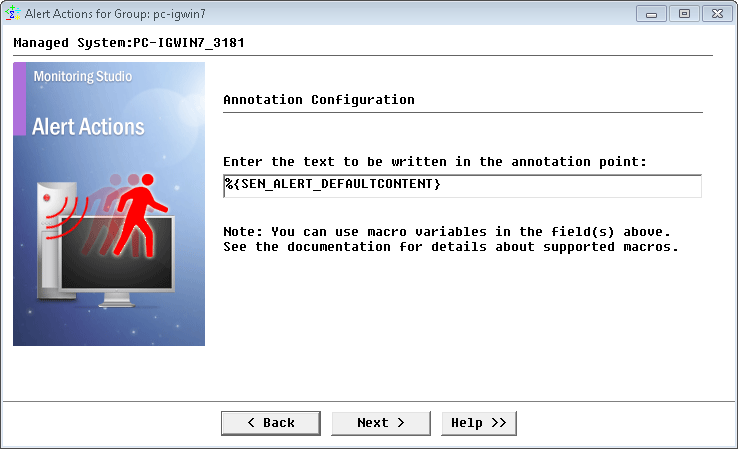
Annotate the parameter's graphIf you select the Annotate the parameter’s graph action, you need to enter the string that will be displayed within the annotation point.
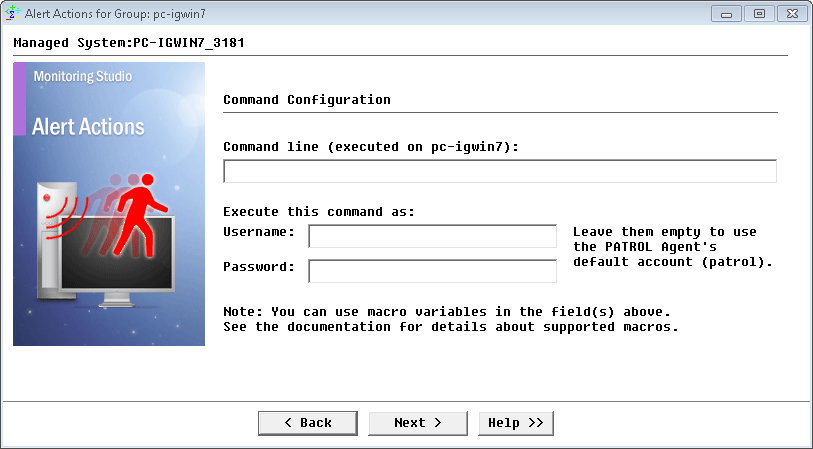
Alert Actions: Annotate the parameter's graph Execute an OS commandIf you select the Execute an OS command action, you need to complete the following panel:
Alert Actions: Execute an OS command
The command can be a program utility or a script shell, and can have arguments.
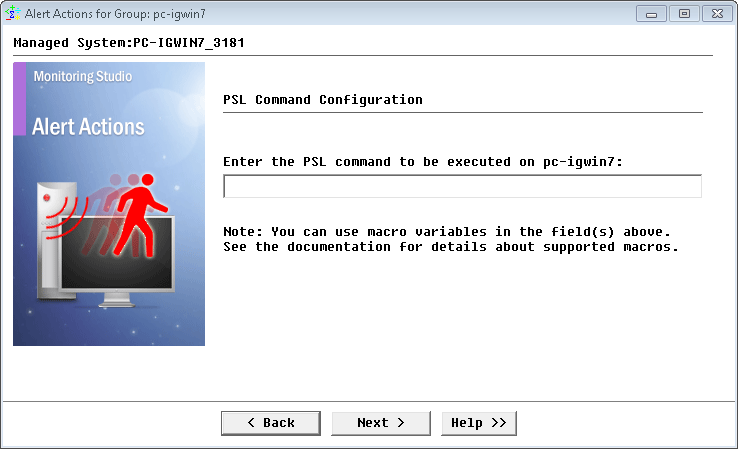
Execute a PSL commandIf you select the Execute a PSL command action, you need to enter the PSL statement to be executed by the PATROL Agent. Although only a single line is permitted, it can have several PSL instructions.
Alert Actions: Execute a PSL statement
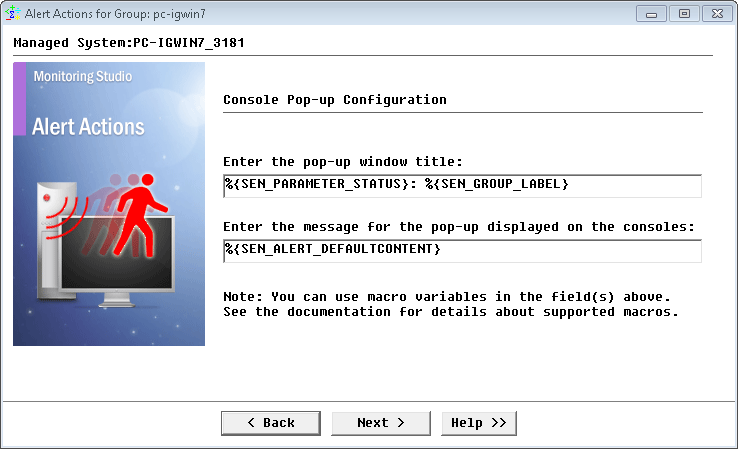
Send a pop-up to the PATROL consolesIf you select the Send a pop-up to the PATROL Consoles action, you need to enter the message that will be displayed in the pop-up as well as the in title of the pop-up window.
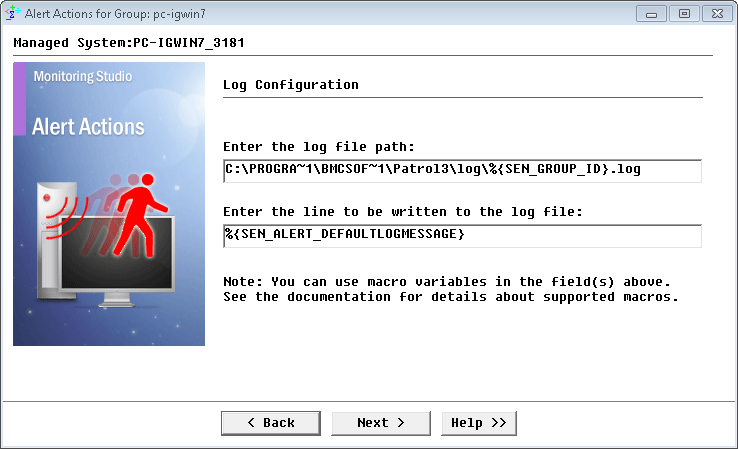
Alert Actions: Send a pop-up to the PATROL Consoles Write a line to a LOG fileIf you select the Write a line to a LOG file action, you need to enter the LOG file path and the content of the line.
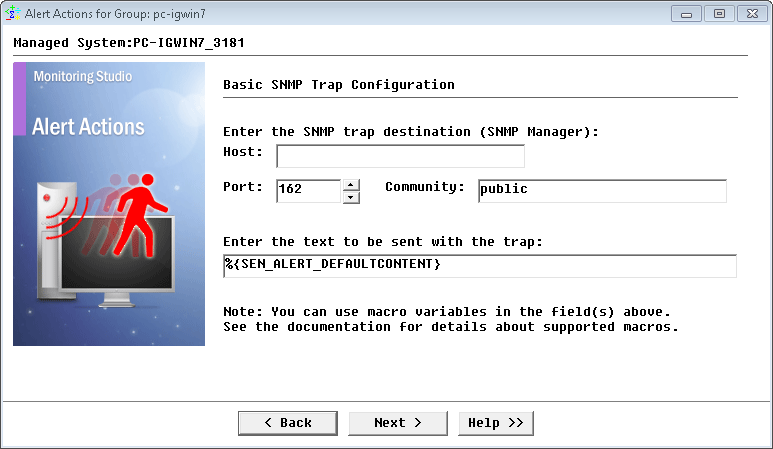
Alert Actions: Write a line to a LOG file Send a basic SNMP trap (using the PATROL MIB)If you select the Send a basic SNMP trap action, you need to complete the following panel:
Alert Actions: Send a basic SNMP trap
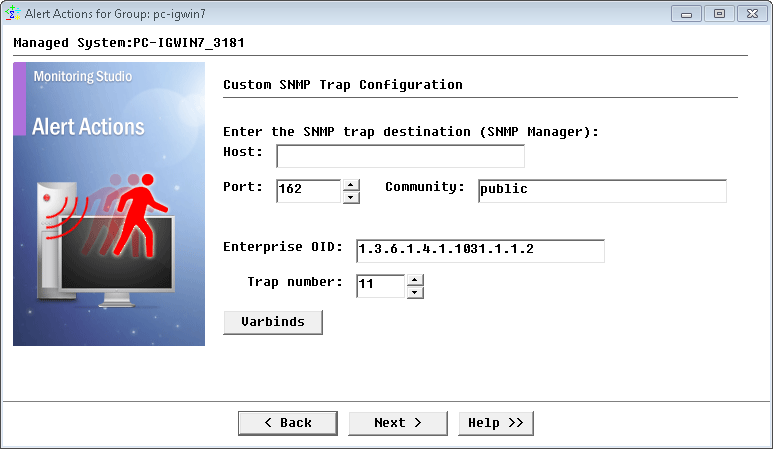
Send a custom SNMP trapIf you select the Send a custom SNMP trap action, you need to complete the following panel:
Alert Actions: Send a custom SNMP trap
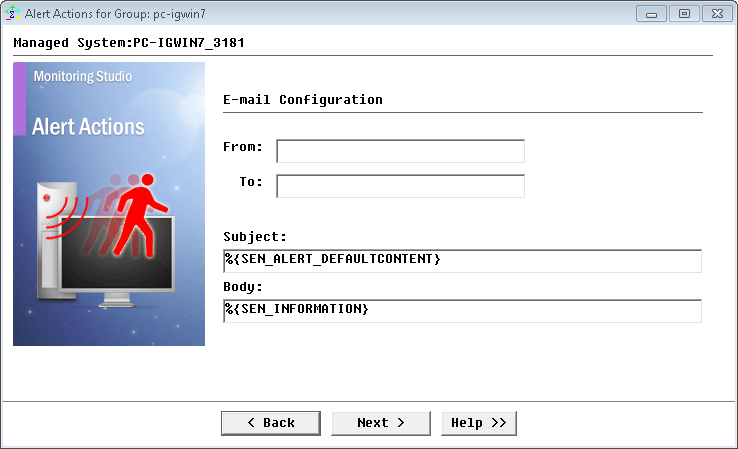
Send an E-mailIf you select the Send an E-mail action, you need to complete the following panel:
Alert Actions: Send an E-mail
See Also |