|
Some applications indicate that they are running by writing the PID of their process into a given file. To make sure these applications are properly functioning, Monitoring Studio can read this file and check whether the PID written in the file corresponds to a running process.
 Most Windows applications do not provide PIDs. Most Windows applications do not provide PIDs.
| 1. | In the PATROL Console, right-click the Application icon and select KM Commands > New > Process monitoring... |
| 2. | Select Provide a PID file path and click Next. |
| 3. | Enter the path to the file containing the Process PID and click Next. |
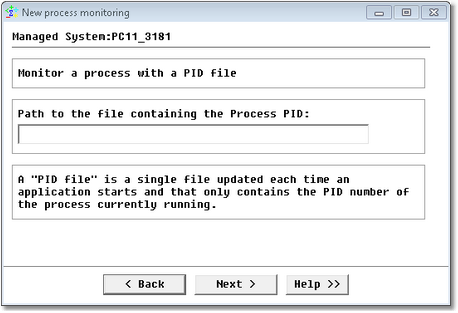
Proving the PID File Path
| 4. | At each polling, Monitoring Studio reads this file, retrieves the PID number and checks whether this process PID exists or not. Normally, the process PID is dynamically allocated. The process PID number should be at the very beginning of the file’s content. |
All processes that match the entered criteria will be monitored and identified as one icon in the PATROL Console.
|


