Visualizing Windows EventLogs

Home  Previous  Next

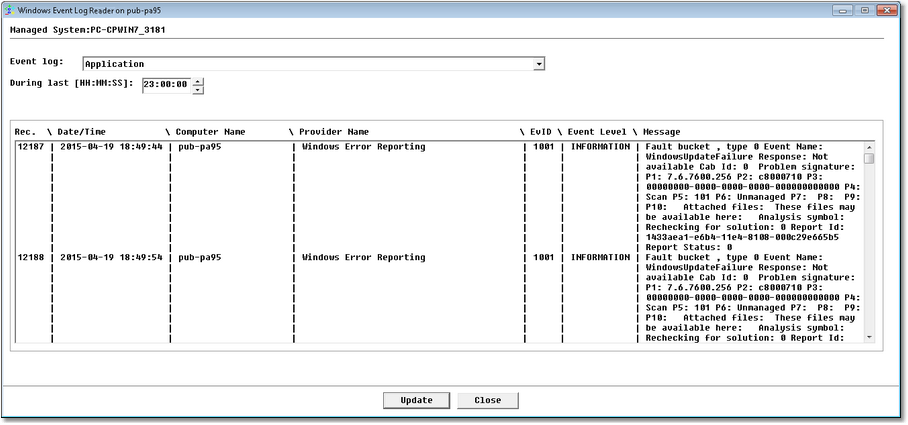
The Windows EventLog Reader tool shows how each event is actually registered in a specific Windows EventLog by providing its source, its ID and its arguments (or "insertion strings"). All these criteria are required for monitoring EventLogs.

To access the Windows EventLog Reader tool:

1.Right-click the main Monitoring Studio icon > KM commands > Tools > Windows EventLog Reader.

KM_WindowsEventLogReader

Windows EventLog Reader

2.Select the EventLog you wish to view and click the Update button to refresh the window. This may take a few seconds to complete. The latest event is shown first in this list.
3.Refer to the Arguments column to know the arguments registered in each event. There is one line per argument: the first argument line corresponds to the "Argument 1" field in the Windows Event monitoring wizard, the second argument line corresponds to the "Argument 2" field, etc.
4.Click:
Update to refresh the information displayed.
Close to quit the Windows EventLog Reader tool.

.


See Also

Acknowledge all and reset

Can I search for Windows Events whose description match a regular expression

What is the meaning of the "Argument1, 2..." field in the Windows Event monitoring wizard?

Windows Event monitoring

SW_NTEVENTS