|
Cloning a Host consists in taking an exact copy of the settings, credentials and related Monitors of a source Host and applying these settings to a target Host. Cloning is an easy way to produce alternate copies of existing monitoring infrastructure. This tool is particularly convenient for managing large environments where several Hosts need to be monitored rapidly and in a similar manner.
To clone a host
| 1. | In the PATROL Console, right-click the Host icon you wish to clone and select KM Commands > Clone... |
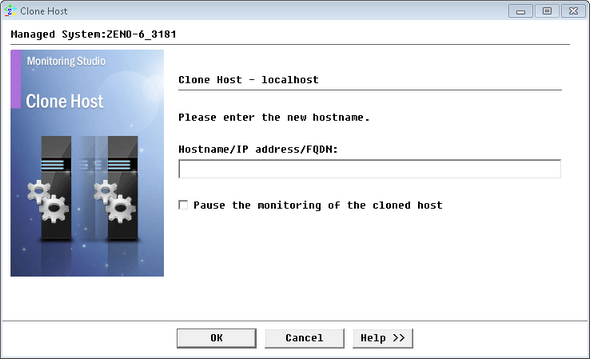
Clone Host - Host Identification
| 2. | Provide a Hostname, IP address or FQDN (Fully Qualified Domain Name) for the cloned Host. Two Hosts with the same name cannot coexist in the same group. |
| 4. | The cloned Host instance is automatically created in the same group as the source Host and, by default, uses the same credentials. If the credentials of the cloned Host need to be changed, we recommend you to select the Pause the monitoring of the cloned host option to suspend the monitoring of the cloned Host while you modify its credentials and avoid unnecessary error messages and events. |
To edit the credentials of a cloned Host, right-click the cloned Host and select KM Commands > Credentials > Edit Credentials... To edit any other settings, right-click the cloned Host and select KM Commands > Edit...
|


