|
To edit a Host, Group or Monitor:
| 1. | Right-click the instance of the monitored object > KM Commands > Edit... |
| 2. | Modify the information related to the selected object, just as you wish. Click Next. |
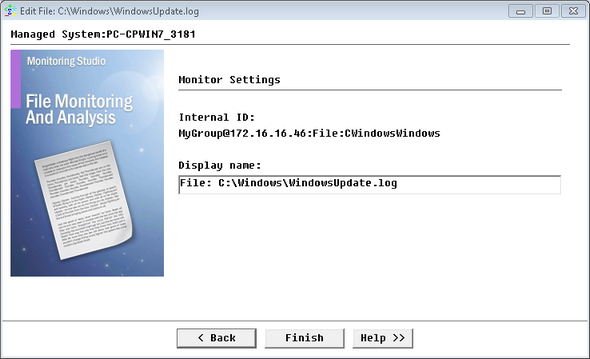
Editing a Monitored Object - File Monitoring example
| 3. | The final step of the wizard displays the Monitor Settings of the monitored object. The wizard: |
| ▪ | Displays a reminder of the object's Internal ID. |
| ▪ | Lets you edit the object's Display name. |
 Please note that you can also edit the Display Name using the Rename KM command. Please note that you can also edit the Display Name using the Rename KM command.
| 4. | Click Finish to validate your changes. |
| 

