Forcing the Classic Mode


Forcing the Classic Mode |
|
|
Monitoring Studio KM for PATROL can either be configured from BMC PATROL Console (Classic Mode) or BMC TrueSight Operations Management. When the KM is installed on a PATROL Agent, which is managed by Central Monitoring Administration (CMA), all the KM configuration menus are disabled in the PATROL Console. These configuration menus will display an error when selected, asking to use CMA instead. To configure Monitoring Studio from a PATROL Console, you need to force the KM to run in Classic Mode. This will disconnect Monitoring Studio from receiving configuration from BMC ProactiveNet Central Monitoring Administration. Any monitoring that was configured in CMA and used by the PATROL Agent will be removed and replaced by Monitors created from the PATROL Console. However, this will not delete the policies created in CMA from the configuration.
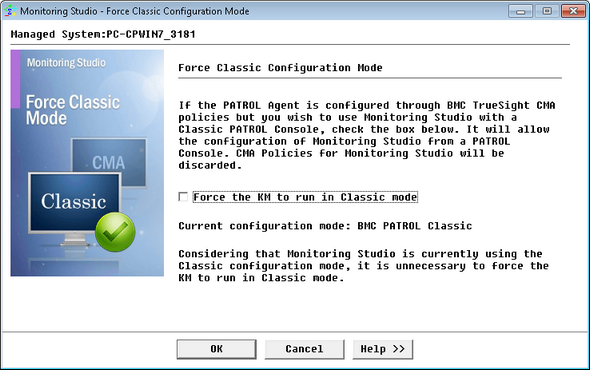
To force the KM to run in Classic Mode:
Forcing Classic Mode - Force Classic Configuration Mode
Monitoring Studio will then start running in Classic Mode, enabling you to use the KM Configuration menus.
|