|
Once you have added Groups, you may need to rename/modify their display names or IDs. The Rename feature allows you to:
| • | Enter a new Group display name |
| • | Modify the Group internal identifier (ID) |
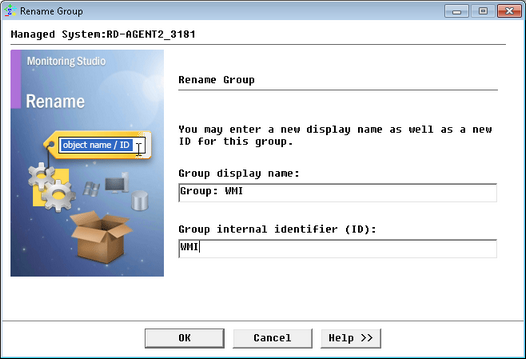
Modifying a Group Display Name and/or ID
To modify the Group display name
| 1. | Right-click the object icon > KM commands > Rename... |
| 2. | In the Group display name text field, enter a new display name. |
| 3. | Click OK to validate your changes. |
To modify the Group internal identifier (ID)
| 1. | Right-click the object icon > KM commands > Rename... |
| 2. | In the Group internal identifier (ID) text field, enter a new short ID. |
| 3. | Click OK to validate your changes. The following pop-up appears: |
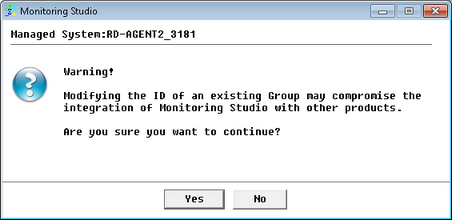
Modification of a Group Name and/or ID - Warning
| 4. | If you are certain that the new ID will not cause any problem, click Yes. |
The PATROL Console will display the new label and will update the ID of the Group as well as all its dependent items.
| 

