Reporting the Total Traffic on an Hourly or Daily Basis


Reporting the Total Traffic on an Hourly or Daily Basis |
|
|
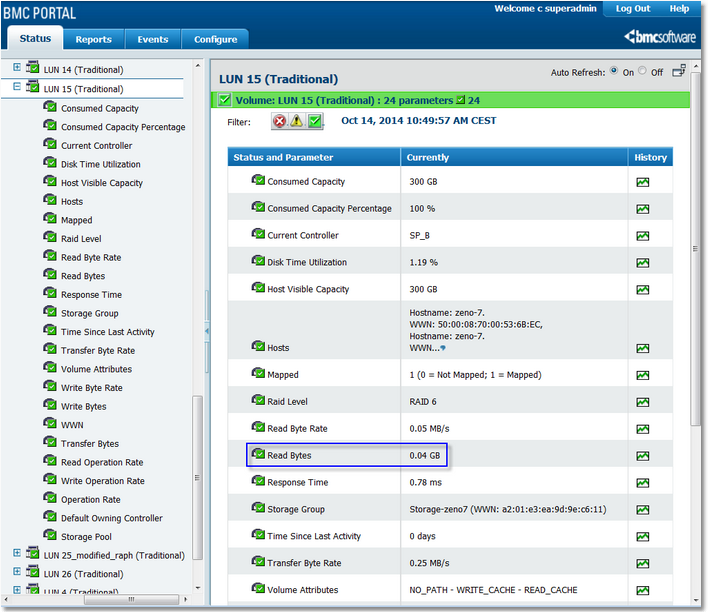
BMC Performance Manager Express for EMC Disk Arrays not only monitors the traffic and activity of the disk array, controllers, LUNs and physical disks in MB/s, but also in GB per hour or per day. The exact amount of data that was read or written to the disk array, LUN or physical disk is calculated for each hour of the day and each day of the week. Each data rate parameter in MB/s is accompanied by a non-rate one in GB. These parameters are “cumulative”: their instantaneous value has no meaning and they need to be visualized in a long period of time. (instead of Read Byte Rate or Write Byte Rate). Generating a Disk Array Usage Report1.Click the Status tab in Portal 2.When viewing the status of the disk array, controller, LUN or physical disk, click on the graph icon of the Read Bytes or Write Bytes parameter
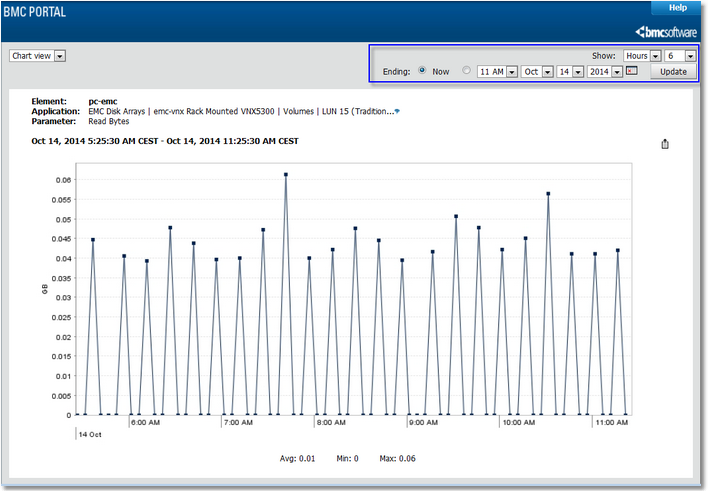
Selecting a Disk Array Parameter 3.Choose the 12, 24 or 48 hours time frame to visualize an hourly report. Choose the 5 or more days time frame to visualize a daily report
Disk Array Read Byte Graph |