Viewing the Overall Activity of a Disk Array


Viewing the Overall Activity of a Disk Array |
|
|
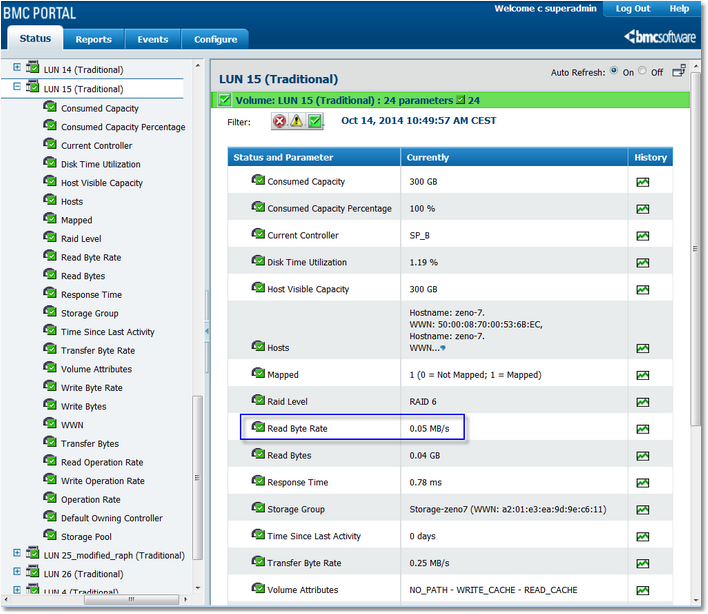
In order to visualize the activity of a disk array, use the Read Byte Rate and Write Byte Rate of the Array class. These parameters represent the overall traffic in megabytes per second for each monitored array, or more precisely, each EMC disk array that is exposed through the EMC SMI-S Provider (see the EMC SMI-S Provider section of the Installation Guide for more information about the EMC SMI-S Provider). Viewing a Disk Array Activity1.Click the Status tab in Portal 2.Click the array icon in the tree view to visualize its current activity
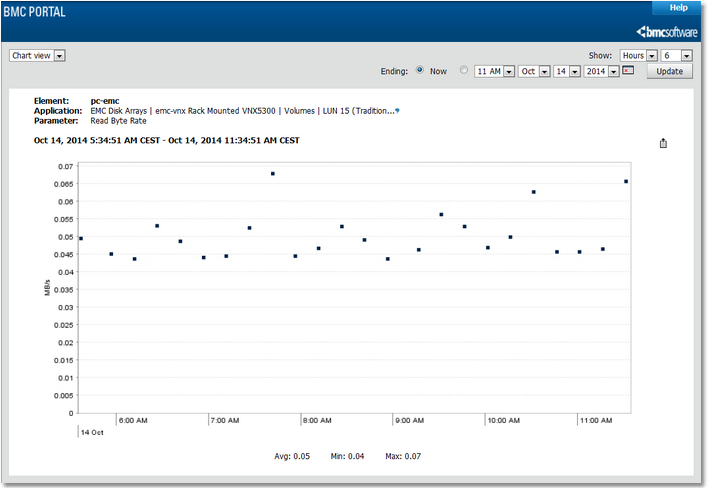
Selecting a Disk Array Parameter 3.Click the Read Byte Rate or the Write Byte Rate graph icons to visualize the activity of the disk array in the past hours or days.
Disk Array Read/Write Byte Rate Graph
The overall activity can also be reported in GB per hour or per day (instead of MB/s) so SAN administrators can visualize how much data has been written to or read off the disk array each hour of the day or each day of the week (see the Reporting the total traffic on an hourly or daily basis section for more information on this subject). |