| 1. | Log in to the Portal with normal user credentials. |
| 2. | Click Configure tab > Element Profiles. The Available Profiles page appears. Select the Profile to which you wish to add the Storage class > Edit. |
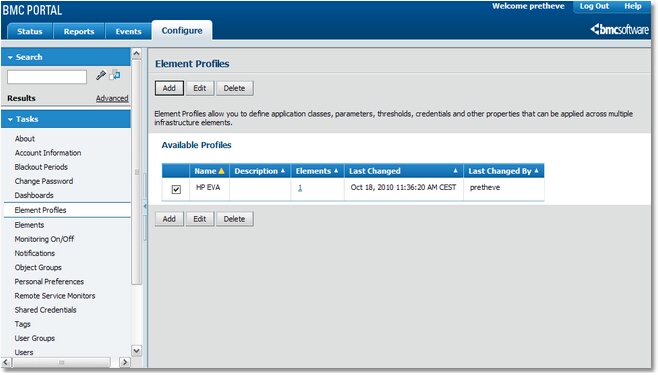
Selecting a Profile
| 3. | The selected Element Profile’s Properties page appears. Go to Application Classes > Add. |
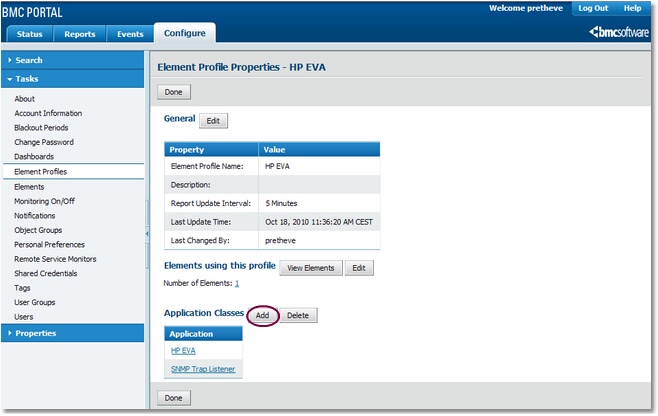
Adding Application Classes
| 4. | The Element Profile Properties – Add Application Classes page appears. Choose Storage from the Select Category drop-down list. |
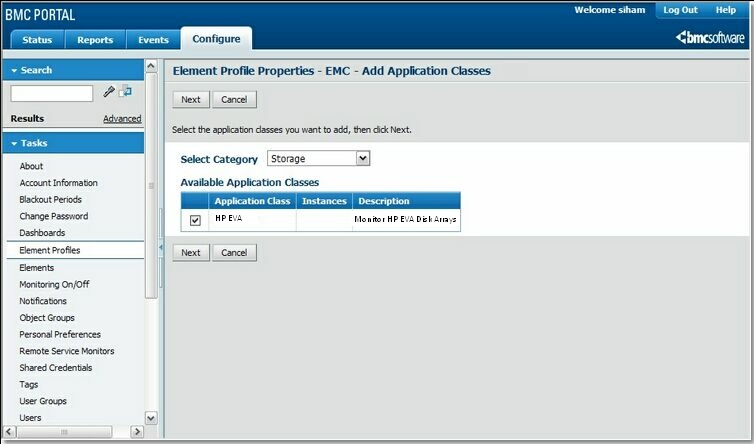
Selecting the Storage Applicable Class
| 5. | Select the HP EVA application class applicable to your system and click Next. |
 | The HP EVA application class can only be added to element of type "Storage" |
| 6. | On the Properties and Credentials page, enter the information required for monitoring the disk array. |
Information required to monitor Windows systems
|
|
|
Collection interval
|
Select the polling interval from the drop-down list. Default: 5. Unit: Minutes.
|
Credentials (WMI)
|
Enter the login and password used to connect to the remote element through WMI.
|
Credentials (SSSU)
|
Enter the login and password used to connect to the remote element through SSSU.
|
Hostname
|
Enter the Hostname or IP address of the remote machine
|
Disable Virtual Disks Monitoring
|
"Yes" disables the monitoring of virtual disks. Discovery and collect requests and operations are no longer performed.
|
Debug Mode
|
"Yes" enables the debug mode. The debug output produced is stored on the RSM server in a file located at "%RSM_HOME%/RSM(xx)/SEN_HPEVA/sen_eva_debug_hostname.log". Please do not leave the debug mode enabled for too long as the debug file may grow indefinitely.
|
| 7. | After entering the element properties and credentials, you arrive at the final step for adding the BMC Performance Manager Express for HP EVA application class: Thresholds, Properties and Credentials. |
| 8. | Thresholds are automatically set by BMC Performance Manager Express for HP EVA . It is recommended to keep the default thresholds (or see the Thresholds section). Click Finish. |
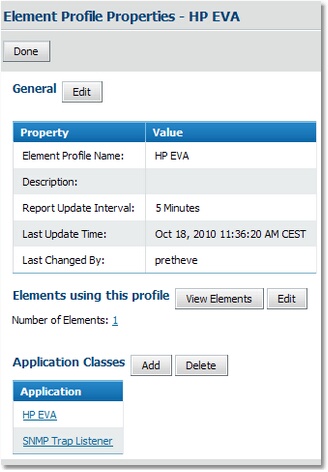
Element Profile Properties
| 9. | Click Done to save the changes made. The BMC Performance Manager Express for HP EVA application class is now added to all the elements in the selected Element Profile. |
|


