Acknowledge Alerts

Home  Previous  Next

This option is applicable to all application classes except for String searches, SNMP traps, Windows events, and File Security instances for which a specific command Acknowledge Alerts and Reset can be used to acknowledge all alerts and reset parameters to zero.


To acknowledge all alerts for a specific instance :

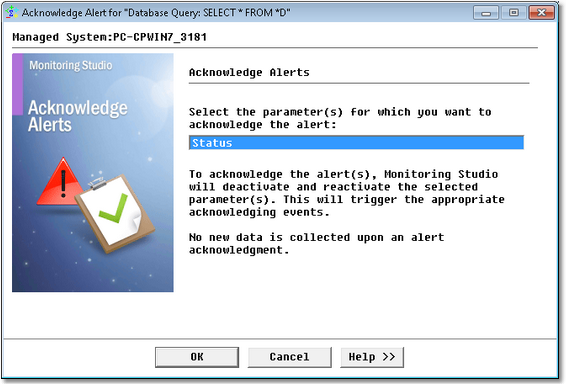
1.Right-click the Object icon > KM Commands > Acknowledge Alerts...

KM_Ack_Alerts

Acknowledging Alerts

2.Monitoring Studio displays the name of the parameters for which an alert can be acknowledged. Click a parameter to select it and click OK. The selected parameter(s) will be deactivate and then reactivate. An acknowledging event will automatically be triggered.

NoteNo new data can be collected upon an alert acknowledgment.