|
In most IT environments, a proxy server is now present and acts as an intermediary between computers and the Internet. In such environments, configuring your proxy settings is required to enable Monitoring Studio to send Web requests to servers located on the Internet. These settings can then be shared or bypassed when configuring the Web Request Monitor.
To configure the proxy server
| 1. | In the Global Advanced Settings section, click Proxy Settings. |
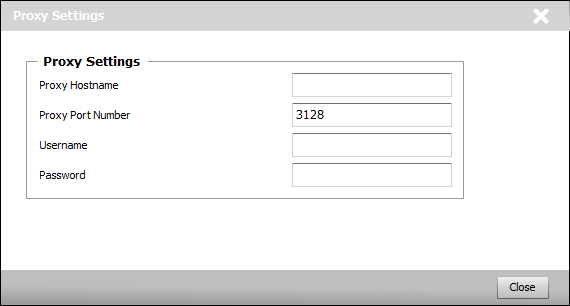
Configuring the Proxy Settings
| 2. | Provide the following proxy server information: |
| ▪ | Proxy Hostname: Enter the hostname of the proxy server used to connect to Web sites. |
| ▪ | Proxy Port number: Enter the port to be used to access the proxy server (Default: 3128). |
| 3. | Enter the Username and Password to use for proxy authentication and click Close. |
 When logging into TrueSight Operations Management v10.5, please note that if you choose to save your credentials when prompted by your web browser, the Username and Password fields of the proxy will be filled by default with this information. When logging into TrueSight Operations Management v10.5, please note that if you choose to save your credentials when prompted by your web browser, the Username and Password fields of the proxy will be filled by default with this information.
| 

