|
Some technologies record their PID (process ID) in a pre-defined file. Monitoring Studio can read the PID from this file and monitor the corresponding process.
| 1. | In the PATROL Console, right-click the Host icon and select KM Commands > New > Monitor... |
| 2. | Select Process from the drop-down list and click Next. |
| 3. | Check Provide a PID file path and click Next. |
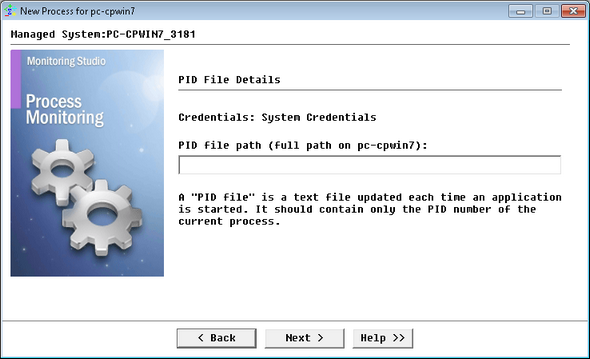
Proving the PID File Path
| 4. | Provide the PID file path and click Next. At each polling, Monitoring Studio reads this file, retrieves the PID number and checks whether this process PID exists or not. Normally, the process PID is dynamically allocated. The process PID number should be at the very beginning of the file’s content. |
All processes that match the provided criteria will be monitored and identified with an individual icon in the PATROL Console.
|


