|
Administrators can use the File Viewer tool to check the content of a file that is being monitored.
To view the content of a monitored file
| 1. | Right-click the Host icon > KM commands > Tools > File Viewer... or the File icon > KM commands > View File Content |
| 2. | Specify the visualization options: |
| ▪ | File path: Path of the file that you wish to view |
| ▪ | Show me: The first/last: x KB: Indicate the size and part of the file that you wish to view |
| ▪ | Only the lines matching with: (optional regular expression) Enter a regular expression and only the lines matching this regular expression are displayed in the File content field. |
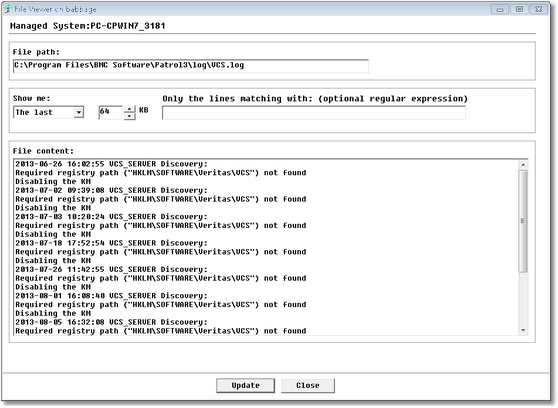
File Viewer
| 3. | Click Update. The file content is now displayed. |
 If the tool is accessed from File object, the File Viewer tool uses the credentials assigned to the File Monitor; if this tool is accessed from the Host icon, the System Credentials configured for the Host are used. If the tool is accessed from File object, the File Viewer tool uses the credentials assigned to the File Monitor; if this tool is accessed from the Host icon, the System Credentials configured for the Host are used.
| 

