|
WBEM (Web-Based Enterprise Management) is a set of systems management technologies developed to unify the management of distributed computing environments that provides users with information about the status of local or remote computer systems.
Monitoring Studio can execute WBEM queries on your system and consolidate them within your PATROL environment along with the application monitoring under a single icon. It can also query the WBEM repository for class and instance information.
WBEM query analysis objects are instances of the SW_WBEM class.
 The variable used to specify the path to the jar file used to perform WBEM queries is: /MASAI/SENTRY8/wbemJarPath The variable used to specify the path to the jar file used to perform WBEM queries is: /MASAI/SENTRY8/wbemJarPath
Creating a WBEM query analysis
| 1. | In the PATROL Console, right-click the Monitored Application icon > KM Commands > New > WBEM Query analysis |
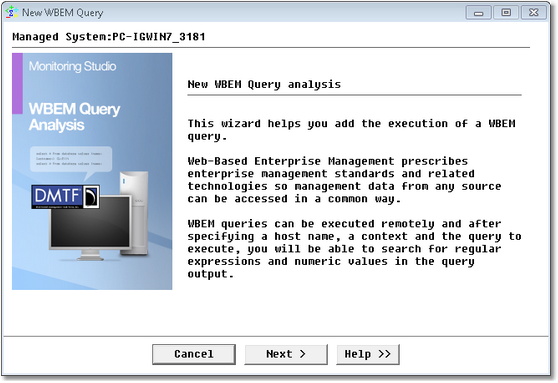
WBEM Query Analysis Wizard — Welcome Page
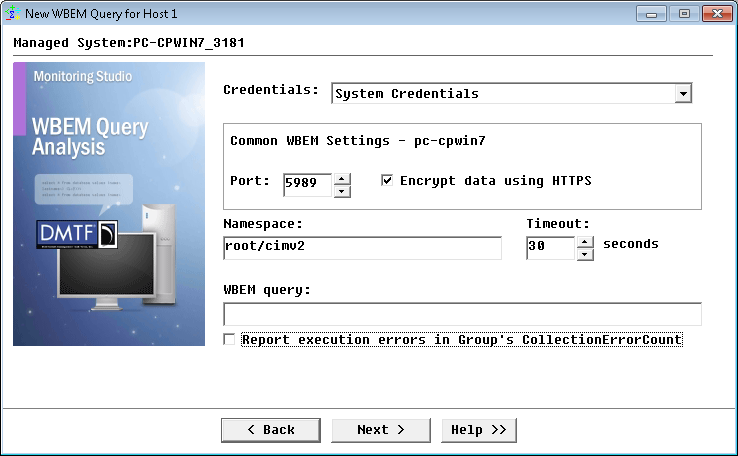
WBEM Query Analysis Wizard — Host Identification Page
| ▪ | Hostname: Enter the hostname or IP address |
| ▪ | Connect through port: Enter the port number you wish to use for the connection. By default, in standard environments, the port 5988 is used for non-encrypted data, while port 5989 is used for encrypted data. |
| ▪ | Name space: Enter the WBEM namespace. A namespace is a logical group of related classes representing a specific technology or area of management (Ex: root\cimv2) |
| ▪ | Encrypt data using the HTTPS protocol: Select this option to encrypt the query with the HTTPS protocol.
Hyper Text Transfer Protocol Secure (HTTPS) is a secure version of the Hyper Text Transfer Protocol (http) based on the SSL (Secure Sockets Layer) protocol. SSL creates a secure connection between a client and a server, over which any amount of data can be sent securely. |
| ▪ | WBEM Query: Enter your WBEM query |
| ▪ | Username and Password: Enter your credentials. Leave these fields blank if you want the WBEM query to be executed with the PATROL Agent default account (patrol). |
An icon representing the WBEM query appears in the console with two parameters: ReturnOutput and QueryStatus. You can now run String Searches and Extract Numeric Values from this output.
See Also
String Search
SW_WBEM
Text Pre-processing
| 

