Generic JMX client using RMI or IIOP Protocols


Generic JMX client using RMI or IIOP Protocols |
|
|
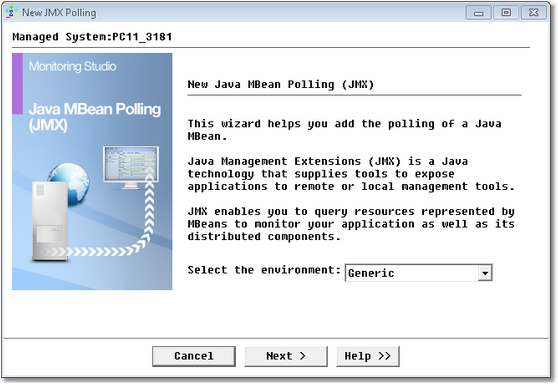
To set-up the monitoring of a generic JMX client, right-click the Monitored Application icon > KM Commands > New > Java MBean polling (JMX) and select the Generic environment from the drop-down list:
Java MBean Polling Wizard (Generic Environment) — Welcome Page
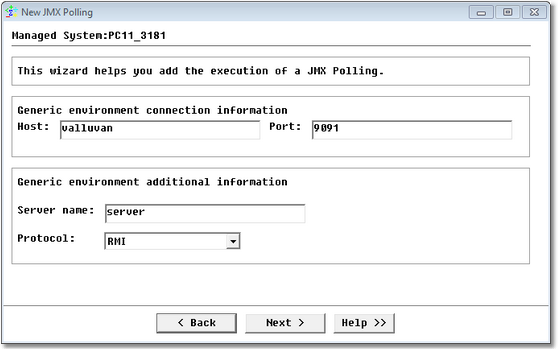
Step 1: Enter the generic environment connection information
Java MBean Polling Wizard (Generic Environment) — Connection Information Page
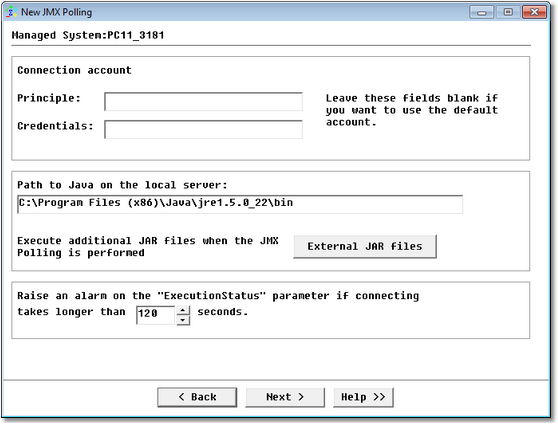
Step 2: Enter the connection account credentials:
Java MBean Polling Wizard (Generic Environment) — Connection Account Credentials Page
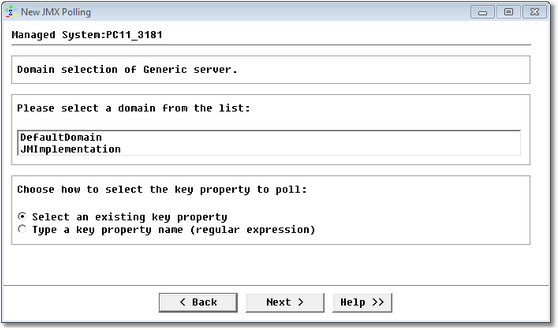
Click Next. Step 3: Select domainIf the credentials entered are correct, Monitoring Studio connects to the application server and presents a list of domains for you to select from:
Step 4: Specify the key propertyDepending on the option selected at the previous step, you will either have to select a key property among a list of existing ones or type a key property name (regular expression). Step 5: Select the attribute
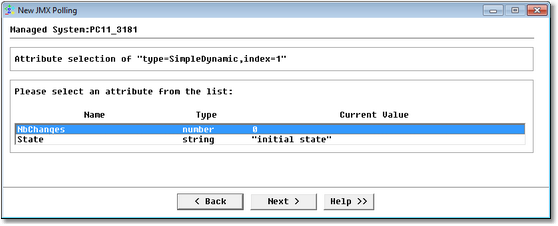
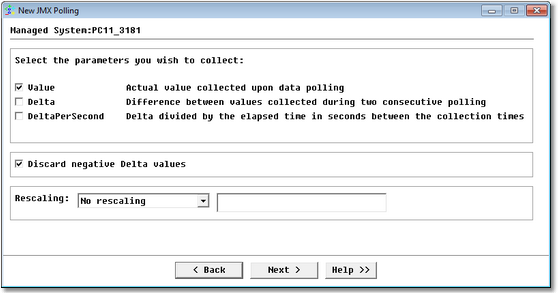
Java MBean Polling Wizard (Generic Environment) — Attribute Selection Page Select the attribute to monitor and click Next. You can only select one attribute at a time. To monitor several attributes of the same key property, you are required to go through the wizard each time. Step 5a: Select parameters to collectWhen you select a numeric attribute (boolean, integer, number) at the previous step, an additional panel is displayed to allow you to select the parameters to collect.
Java MBean Polling Wizard (Generic Environment) — Parameters Selection Page
Step 6: Monitoring Studio settingsYou arrive at the final step of the wizard that displays the object display name, ID and threshold options. For more information, refer to the section Configuring the Monitoring Studio Settings. Click Finish. An icon for the monitored instance will appear under the main Monitoring Studio icon bearing the name entered/displayed in the PATROL Label field; and at the next collect you will see values for the newly monitored object. You can add a string or numeric value search if you wish. Generic JMX application objects are instances of the SW_JMX class. See Also
|